SYMPTOM:
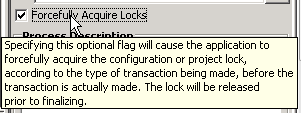
When using System Manager to import an Object Manager package into a project, users receive an error indicating that the import failed because the project was locked. This is seen even when the import package process has the setting to "Forcefully Acquire Locks"
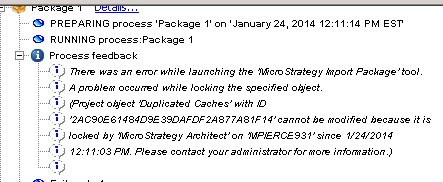
Project object 'xxx' with ID 'xxx' cannot be modified because it is locked by.
CAUSE:
This is a known issue in Strategy System Manager 9.3.1.
The issue does not lie in the acquiring of the locks as the lock is actually acquired and released as it should be. The issue lies in the fact that the Import Package process still reports the lock being there and fails the process.
Strategy Desktop can be used to verify that the project or configuration lock was successfully released.
ACTION:
Contact Strategy Technical Support for an update on the issue.
WORKAROUND:
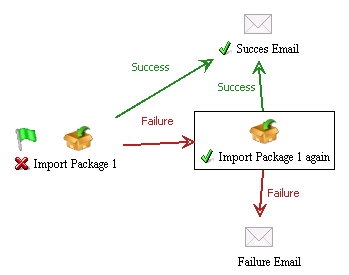
Since the lock is actually released successfully during the process (even though it fails due to this known issue), this means that if the process is then repeated, it will succeed on its next execution. Modifying the workflow to run a second (but identical) import package process if the first fails will allow it to complete successfully since the lock is now released. An example of a workflow that will handle the scenario when the package fails due to the project locking issue is below.
If further assistance is needed contact Strategy Technical Support.
