SYMPTOM:
Strategy, in conjunction with WebDAV, allows users to write freeform XQuery reports to fetch web folder contents. After a user sets up the web folder and creates a report to fetch those contents, they may encounter the following error:

Error: QueryEngine encountered error: mstr-rest:webdav() failed. 401 Unauthorized.
Error type: XQuery Engine error. HTTP error. Connection String:


3. Follow the instructions in the "Retrieving web folder resources with XQuery" section of the Advanced Reporting Guide to create/configure a database instance to retrieve web folder resources. Make sure warehouse passthrough is disabled for the XQuery database instance.
4. If the report is being run in in three-tier, double check the subsection "To update pass-through credentials in Intelligence Server" in the same section to make sure the server is configured properly.
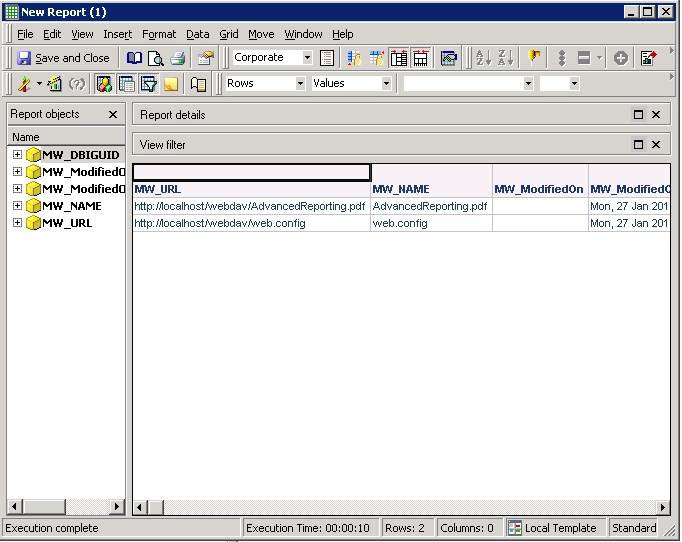
5. Modify the database instance and create a new database login that uses Windows (NT) Authentication. If running in 2-tier, disconnect and reconnect from the project source. If running in 3-tier, restart the Intelligence Server. The report should now return data: