SYMPTOM:
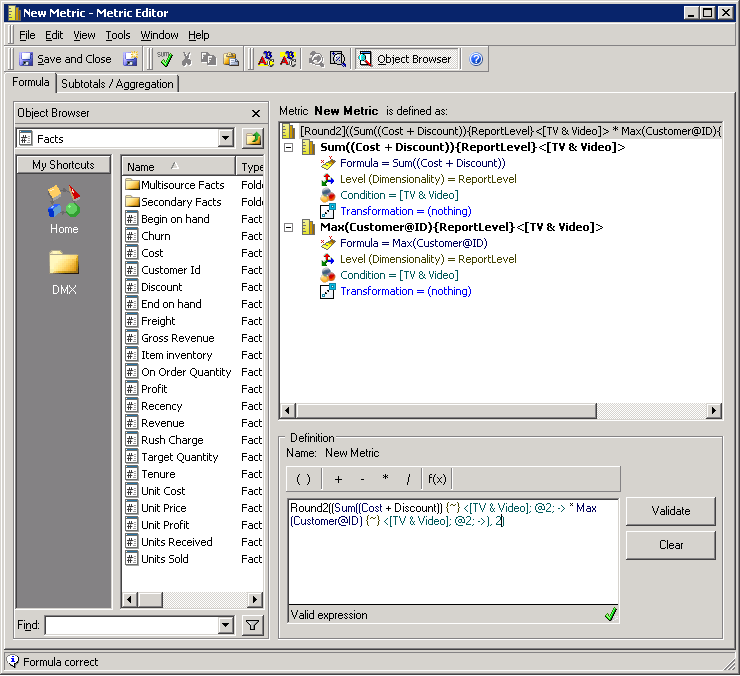
When defining a metric with a compound formula in addition to functions and filters, the user receives a "Formula Incorrect" error when attempting to validate the definition.
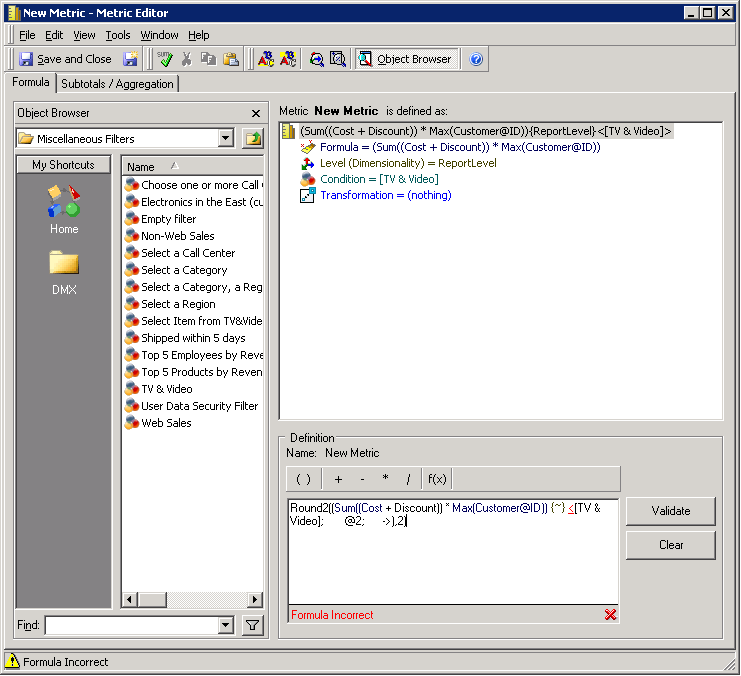
Formula Incorrect
CAUSE:
This is a known issue in Strategy 9.4.1 and 10.x. This will only occur if a metric containing a compound formula with multiple inputs contains both a function and a filter in its definition. Also notice that this only occurs if the definition contains a compound formula, but not a compound metric. In the above example, although the formula has two components (Sum and Max) it is contained in one dimensionality and filter. This is meant to reduce the number of SQL passes used when calculating the metric.
ACTION:
Currently this issue is still being reviewed for feasibility by our Technology team and it is not scoped for any upcoming scheduled Strategy release.
WORKAROUND:
There are two workarounds for this issue as listed below.
Since the error will only occur with a combination of a compound formula, function, and filter, a user could leave out the function in the metric definition and apply it in a separate metric. For example, in the screenshot above, Round2 can be removed from the metric definition and applied in a different metric. This will retain the SQL optimization when used in reports.
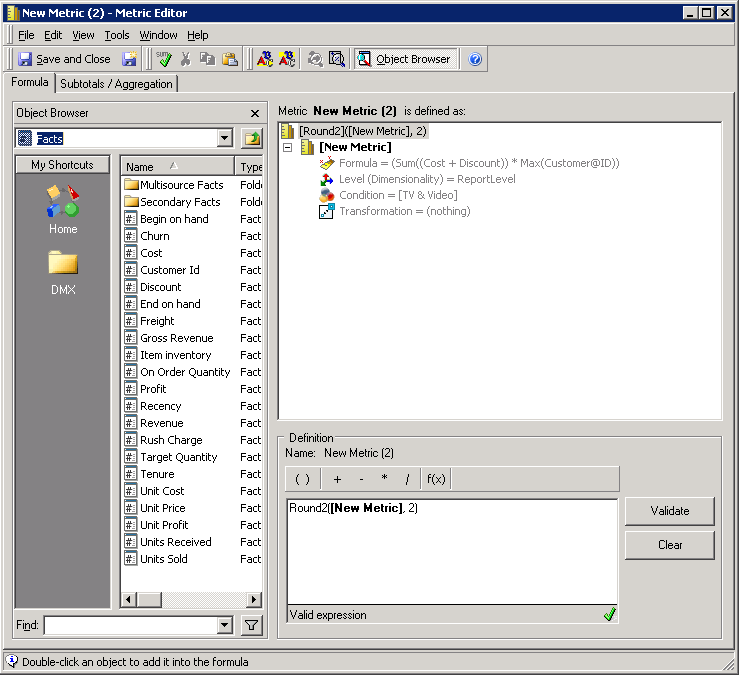
The second workaround is based off of breaking the formula into two separate parts. This essentially will create a compound metric. In this instance, the user would need to redefine the metric to apply the dimensionality and filter to both components. This will allow the metric to validate as shown below. However, any SQL optimization that was to be gained from the prior definition will be lost in this workaround.