SYMPTOM:
When users attempt to view a dashboard containing the MultiMedia widget on iPad through Strategy Mobile 9.4.x, the following error occurs:
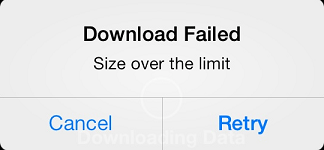
Sample Code/Error
Download Failed
Size over the limit
This error might occur for either the PDF file or the keynote file generated for the dashboard.
CAUSE:
One possible cause for this error is that one of the following hard-coded limits on the file sizes are being exceeded:
Note: If the keynote file size is less than 15 MB, the Strategy Mobile 9.4.x Client app tries to internally open the file. If the keynote file size is between 15 - 250 MB, an external keynote app is required on the iPad to open the file.
ACTION:
Check if the size of the file being attempted to be opened is higher than the above hard-coded limits.
WORKAROUND:
For PDF files higher than the above mentioned limit, it is possible to use a hyperlink to the PDF in the dashboard.
It is advisable to open such a large PDF file in an external application than the built-in PDF viewer in Strategy Mobile Client 9.4.x. This can be done by enabling the 'Allow users to open PDF documents in external applications' option on the Strategy Mobile Server 9.4.x on Administration page > Mobile Configuration > iPad Settings, as shown:

