Prior to 9.2.1m, it was not possible to use a search box on an attribute element prompt if the prompt was defined as a variable in SAP BW MDX cubes. In 9.2.1m and later versions, it is now possible to search on the prompt if the variable is defined as Optional in the SAP BW query cube.
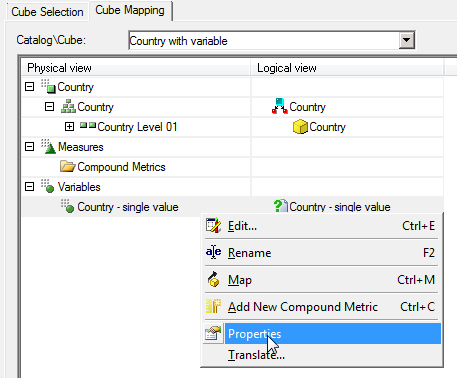
It is possible to determine whether the variable is mandatory or not in the MDX cube catalog. To do so, right click on the variable and select properties:
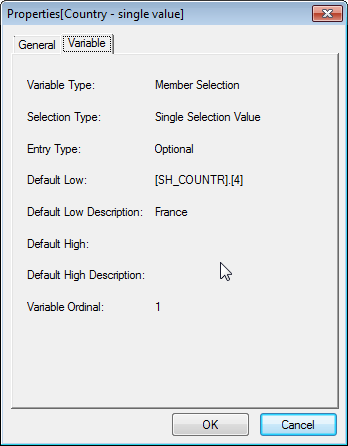
In the Variable tab, the variable will be either Optional or Mandatory:
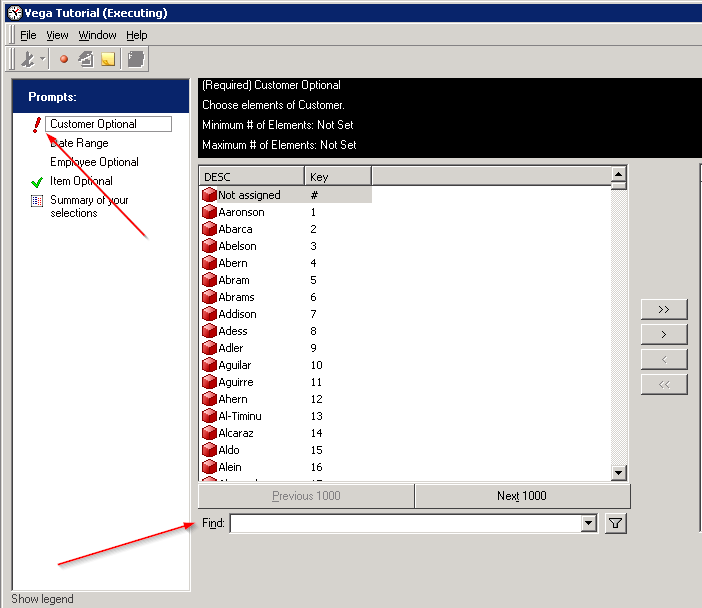
The attribute element prompt will show the search box if the variable is set to Optional.
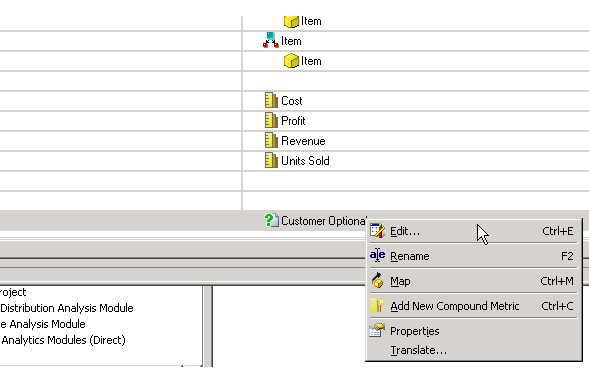
If a user wishes to have a mandatory prompt with the search box enabled, the prompt can be set as required from the Strategy side. The variable should be set as optional in SAP, as shown above. Edit the prompt in the same mapping screen as shown below:
In the prompt editor set the prompt answer as required:
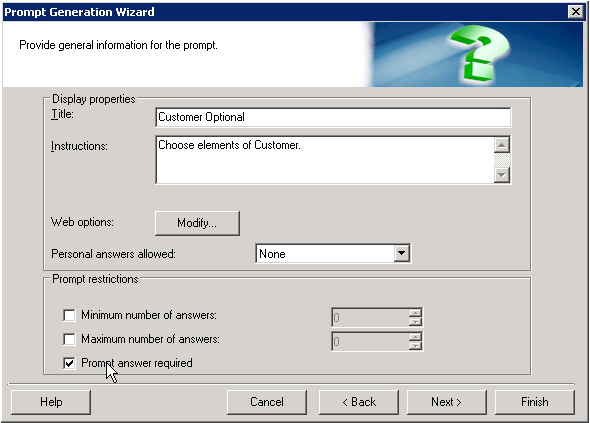
After altering this setting, the prompt will display as a required prompt with the search box enabled.
It should be noted that this feature is different than described in KB34969:. For versions before 9.2.1m, it was only possible to use the search box if a prompt was created in Strategy that was mapped to attribute to be prompted.
