EducationSoftwareStrategy.com
StrategyCommunity

Knowledge Base

Product

Community

Knowledge Base

TopicsBrowse ArticlesDeveloper Zone

Product

Download SoftwareProduct DocumentationSecurity Hub

Education

Tutorial VideosSolution GalleryEducation courses

Community

GuidelinesGrandmastersEvents
x_social-icon_white.svglinkedin_social-icon_white.svg
Strategy logoCommunity

© Strategy Inc. All Rights Reserved.

LegalTerms of UsePrivacy Policy
  1. Home
  2. Topics

KB45997: When two different grids are vertically adjacent to each other in a MicroStrategy 9.4.x dashboardw/document, an unknown white line or space is present when a document/dashboard is vieed from MicroStrategy Web.


Stefan Zepeda

Salesforce Solutions Architect • Strategy


When two different grids are vertically adjacent to each other in a MicroStrategy 9.4.x dashboardw/document, an unknown white line or space is present when a document/dashboard is vieed from MicroStrategy Web

SYMPTOM: 
When document/dashboard has two grids vertically adjacent to each other and is viewed in Strategy Web 9.4.x, users can see a white gap between two grids in the web interface, although no gaps exist between two grids in Strategy Developer 9.4.x as shown below:
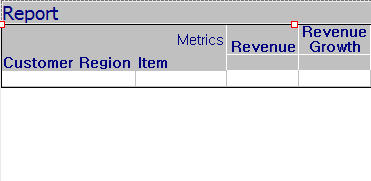


ka02R000000kYYnQAM_0EM440000002CTA.png


ka02R000000kYYnQAM_0EM440000002CTE.png

 
CAUSE:
 
This is a known issue with Strategy Web 9.4.x.
 
ACTION:
 
Contact Strategy Technical Support for an update on this issue.
 
WORKAROUND:
 
In Strategy Web, users must manually adjust the grid location so that two grids overlap each other to hide white gap between grids in Strategy Web.


Comment

0 comments

Details

Knowledge Article

Published:

June 7, 2017

Last Updated:

June 7, 2017