SYMPTOM
When using Strategy Mobile application end users are being prompted to use your current location.
This occurs even if dashboards accessed by the Strategy Mobile do not have a Geo-Location prompt as specified in KB259537: New feature for Current Location in Map Widget in MicroStrategy Mobile 10.1 for iOS

CAUSE
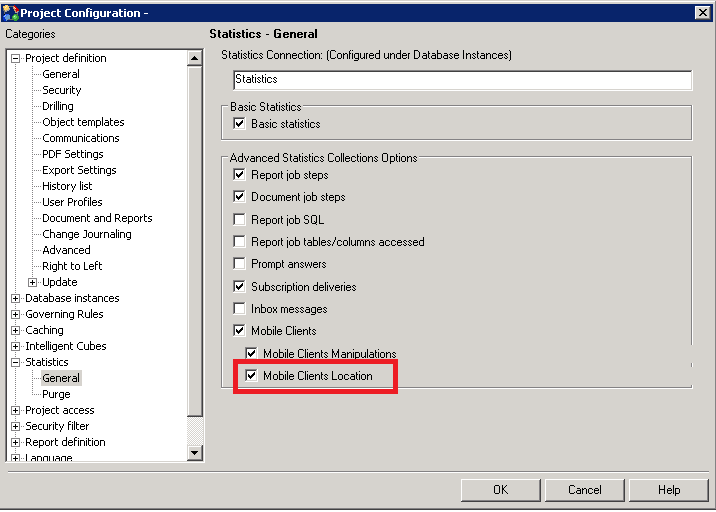
A project can be configured to capture statistics information including geolocation data when viewed through Strategy Mobile as show below.
ACTION
Disable the Mobile Clients Location for all the projects accessible through the mobile configuration to prevent Strategy Mobile to request access to the location services in the device.
