SYMPTOM:
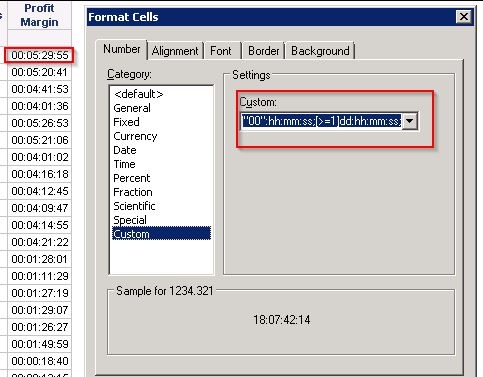
In Strategy Web 9.3.1, when using a custom format for a metric that uses the back slash '\' character to simulate time formats, in addition to other formatting characters such as:
Sample Code/Error
"00"\:hh:mm:ss;dd:hh:mm:ss;
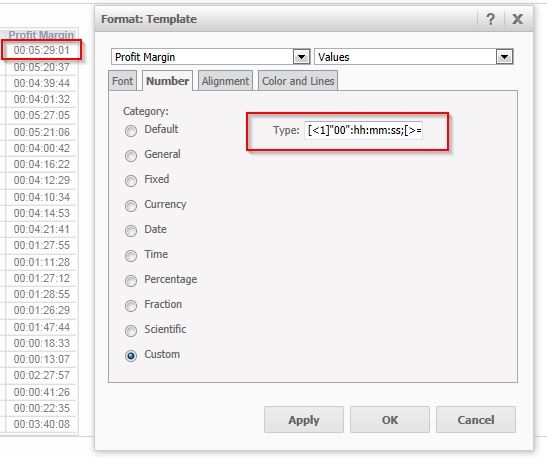
The two characters following the back slash '\' will be displayed in the metric value as shown below:
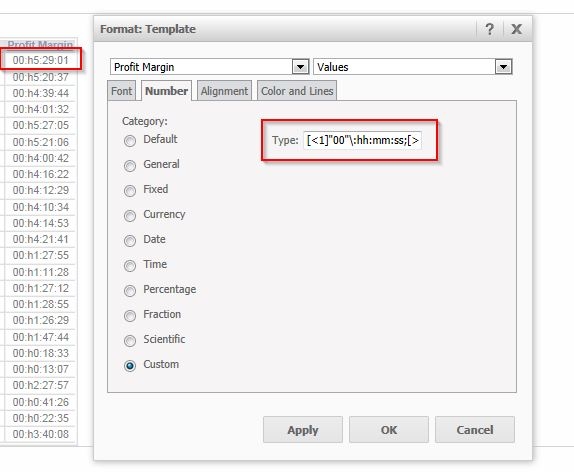
Notice the 'h' character, which is a formatting character, displaying in the metric value.
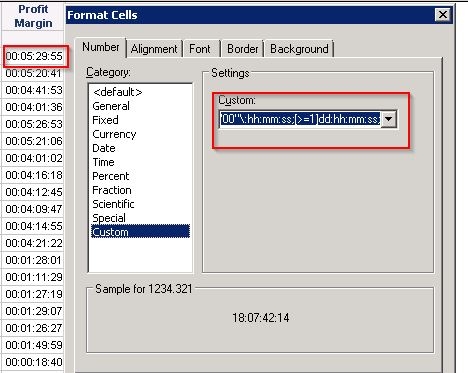
The expected results can be seen in Strategy Desktop 9.3.1 as shown below:
STEPS TO REPRODUCE:
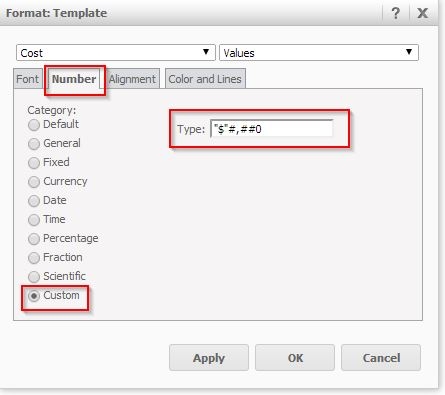
Follow these steps to reproduce this issue in Strategy Tutorial Project:
CAUSE:
In Strategy Web 9.3.1, the back slash '\' character is used as an escape character that makes the next two characters following it be treated as regular characters.
ACTION:
Remove the back slash '\' character. Afterward, the result should be displayed properly as shown below:
The results in Strategy Desktop 9.3.1 are still correct in both cases, as shown below: