Strategy Test Listener is a utility to remotely get information from Strategy services in the network, test DSNs from the local machine (whether a DSN can connect to a database), and whether a PSN (project source name) can connect to a project source.
From any machine that has the Test Listener installed, it ispossible to get information about other Strategy services available on the network. This allows administrators to retrieve the information without having to actually go to each machine.
Samples of use of the Test Listener:
· Quickly see a list of all Intelligence Servers (or other services) on the network, regardless of whether the server is up or down.
· See whether services such as Intelligence Server are up or down (running or not); this is crucial for clusters. You can also determine whether the service needs to be restarted.
· To ping the service and get certain details about it, such as:
· Machine name
· IP address
· Service name
· State
· Version of the software
· Response time
· License details
For further details on samples of use, access the help by pressing the help button in the tool and access the following topics:
The tool have three tabs (Listener tab, ODBC tab and PSN tab) as shown in the images below with a short description on each one of them, for further details access the help by pressing the button in the bottom part of the tool.
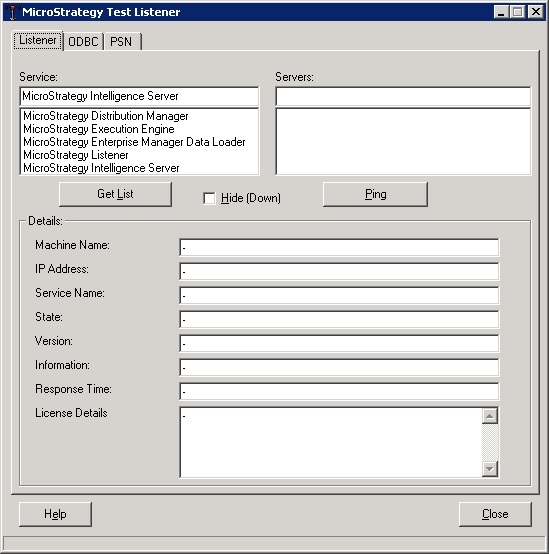
Listener tab
This tab is used to get information from the services, select a type of service from the first list and click in Get List, and then select a service from the second list to get information from it. to Ping the server just click in the button below the list.
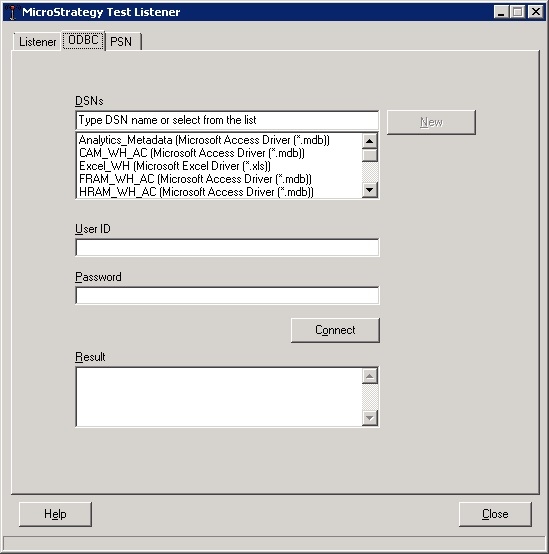
ODBC tab
This tab shows the available DSNs in the machine, allow to create new DSNs and also allows to test the connection to the database similar to the functionality in Strategy DB Query tool and Strategy Connectivity wizard.
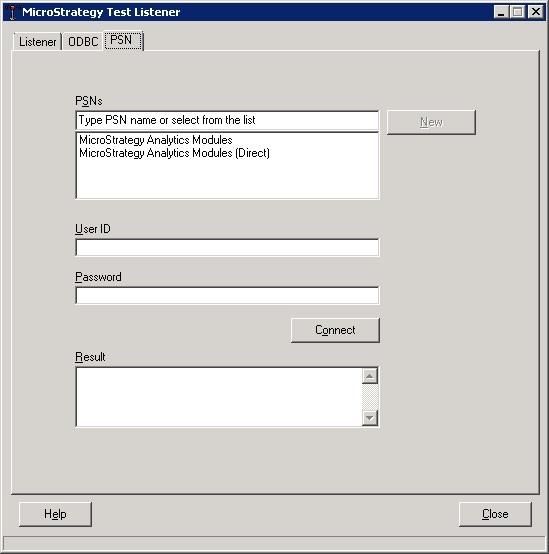
PSN tab
This tab shows the available Project Sources in the Strategy Developer and allow to test if they can connect to the Server or Metadata and also allow to create new ones.
For further details on these tabs, access the help by pressing the help button in the tool and access the following topics:
