EducationSoftwareStrategy.com
StrategyCommunity

Knowledge Base

Product

Community

Knowledge Base

TopicsBrowse ArticlesDeveloper Zone

Product

Download SoftwareProduct DocumentationSecurity Hub

Education

Tutorial VideosSolution GalleryEducation courses

Community

GuidelinesGrandmastersEvents
x_social-icon_white.svglinkedin_social-icon_white.svg
Strategy logoCommunity

© Strategy Inc. All Rights Reserved.

LegalTerms of UsePrivacy Policy
  1. Home
  2. Topics

KB46041: The Title Bar and its buttons are missing when switching a document to Landscape mode in the MicroStrategy Mobile iPhone application 9.3.x to 10.5


Community Admin

• Strategy


In MicroStrategy Mobile 9.3.x to 10.5 application for iPhone, documents in landscape mode do not display a title bar, even after tapping the screen

SYMPTOM:
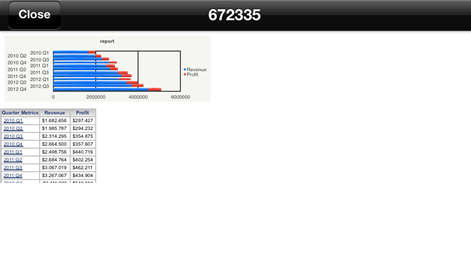
In Strategy Mobile 9.3.0 to 10.5 application for iPhone, documents in landscape mode do not display a title bar, even after tapping the screen as shown below:

 

ka04W000000OfUuQAK_0EM440000002A8z.png

However, the Portrait mode shows the title bar, including its 'Close' and 'Share' buttons:
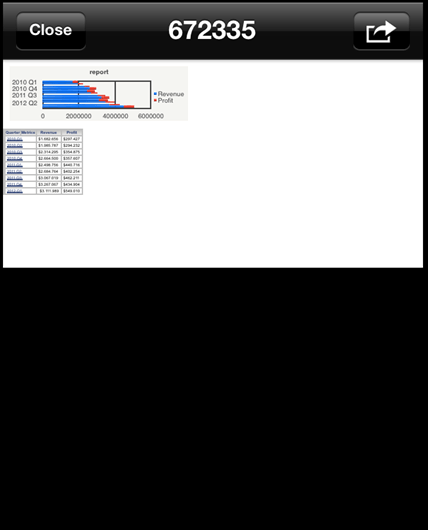
ka04W000000OfUuQAK_0EM440000002A90.png

 
CAUSE:
This is a current limitation in Strategy Mobile for iPhone. For a document which allows both Landscape and Portrait modes, tapping on the screen in Landscape mode will not show the navigation bar. A request has been logged to address this issue.
 
ACTION:
This issue has been addressed in Strategy Mobile 10.6. Upgrade to this version or later to take advantage of this fix.
 
WORKAROUND:
Several workarounds are available, although each has its own drawbacks:
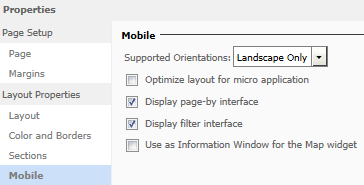
  • In Strategy Web, edit the Document Properties > Mobile so that 'Landscape Only' is selected from the 'Supported Orientations' dropdown:
ka04W000000OfUuQAK_0EM440000002A92.png
  •  
    As seen below, when the document is tapped, the title bar will appear. However, the 'Share' button is not available:

ka04W000000OfUuQAK_0EM440000002A91.png
  • Using Strategy Web, set the 'Supported Orientations' option to 'Portrait and Landscape' in Document Properties > Mobile. Then simply rotate the iPhone to Portrait mode in order to see the title bar and use its buttons.

Comment

0 comments

Details

Knowledge Article

Published:

April 7, 2017

Last Updated:

April 7, 2017