EducationSoftwareStrategy.com
StrategyCommunity

Knowledge Base

Product

Community

Knowledge Base

TopicsBrowse ArticlesDeveloper Zone

Product

Download SoftwareProduct DocumentationSecurity Hub

Education

Tutorial VideosSolution GalleryEducation courses

Community

GuidelinesGrandmastersEvents
x_social-icon_white.svglinkedin_social-icon_white.svg
Strategy logoCommunity

© Strategy Inc. All Rights Reserved.

LegalTerms of UsePrivacy Policy
  1. Home
  2. Topics

KB46046: Edit Links does not answer an attribute qualification prompt dynamically when combined with an element prompt in MicroStrategy Mobile 9.3.1 and 9.4.1


Community Admin

• Strategy


Edit Links does not answer an attribute qualification prompt dynamically when combined with an element prompt in MicroStrategy Mobile 9.3.1 and 9.4.1

SYMPTOM:
A user can use Edit Links to answer prompts dynamically when going from a source report to a target in Strategy Web 9.3.1 and 9.4.1. When the target report contains prompts of different types, such as one element prompt and one attribute qualification prompt, Edit Links can still answer both prompts dynamically correctly from Strategy Web 9.3.1 and 9.4.1, but not from Strategy Mobile 9.3.1 and 9.4.1. From Strategy Mobile 9.3.1 and 9.4.1, only the element prompt is answered correctly, the attribute qualification prompt passes all available elements.
STEPS TO REPRODUCE:
Follow these steps to reproduce in a Strategy Tutorial project.
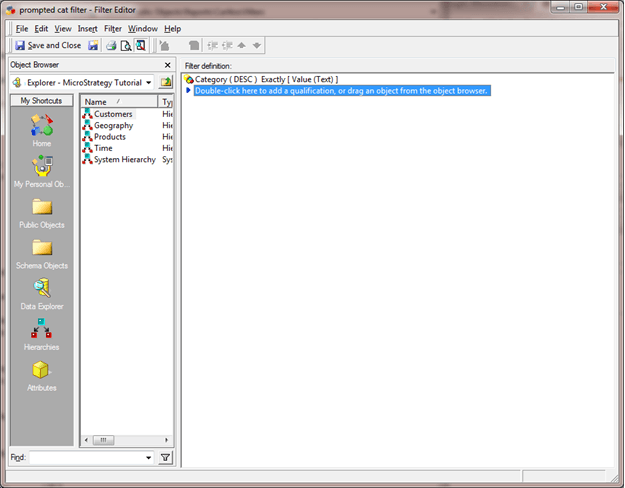
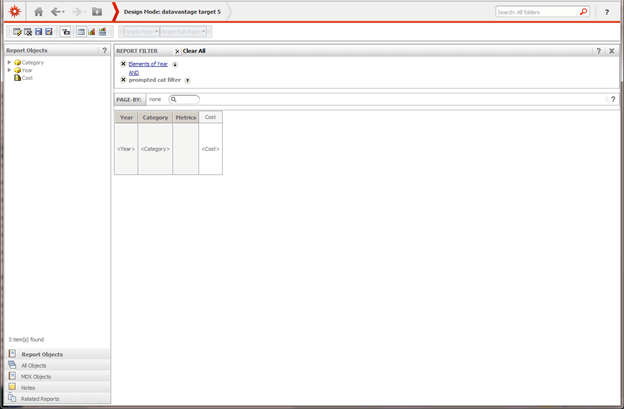
  • Create an attribute qualification filter on Category that calls for a prompt, like shown below.
ka04W000000Odf2QAC_0EM440000002A8o.png
  • Create a report with the Year and Category attributes in the rows and the Cost metric in the columns.
  • Add an element prompt for Year.
  • Add the prompted filter for Category created in step 1, to the report, like shown below:
ka04W000000Odf2QAC_0EM440000002A8m.png
  • Duplicate this report and remove all the filters to make it static.
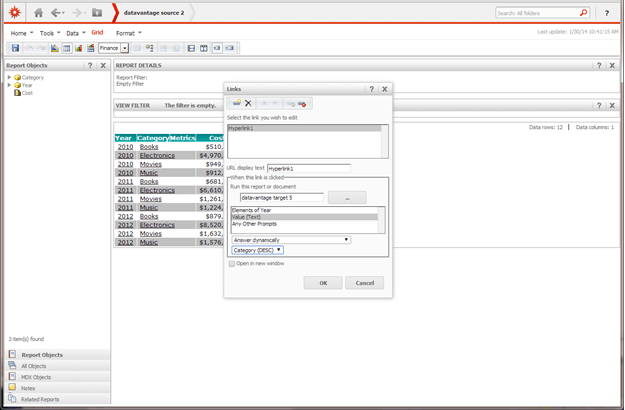
  • Using the report from step 5, use Edit Links on the Category attribute to point to the prompted report created  in step 4, and have both prompts set to the "Answered Dynamically" mode, like shown below.
ka04W000000Odf2QAC_0EM440000002A8q.png
  • Run the report in Strategy Web 9.3.1.
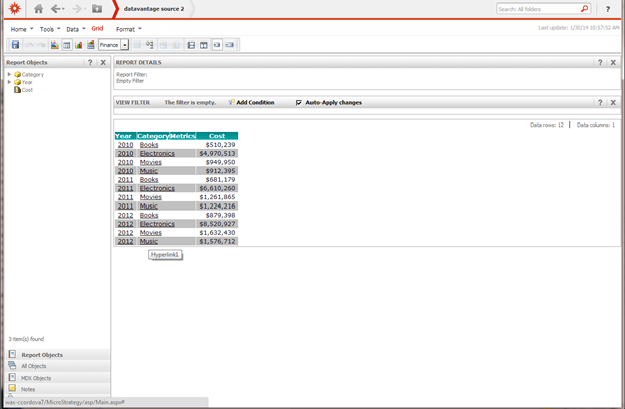
  • Click on a Category element and notice the correct values are passed, like shown below.
ka04W000000Odf2QAC_0EM440000002A8s.png
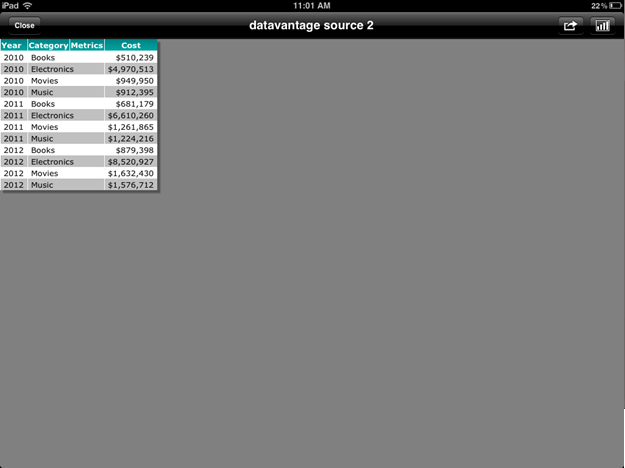
  • Now, run the report in Strategy Mobile 9.3.1 and click on a Category element. Notice the correct Year is passed, but all categories are passed rather than the selection.
ka04W000000Odf2QAC_0EM440000002A8y.png

CAUSE:
This is a known issue in Strategy Mobile 9.3.1 and 9.4.1.
 
ACTION:
This issue was addressed since Strategy Mobile 9.5.
 
WORKAROUND:
If possible, have only the Category prompt available in the target. The attribute qualification prompt will be answered correctly through Strategy Mobile 9.3.1, if it's the only one. Or consider changing the prompt type to a normal attribute element prompt.


Comment

0 comments

Details

Knowledge Article

Published:

April 7, 2017

Last Updated:

April 7, 2017