SYMPTOM:
Users that upgrade their environment to Strategy Web 9.4.1 Hotfix 1, notice a new icon in the home screen for importing Strategy files, like seen below.
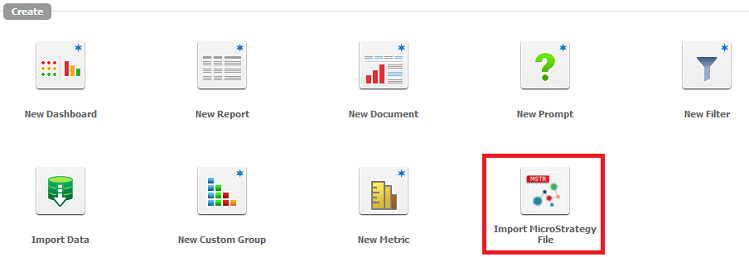
Note: For more information on this feature, refer to tech note KB46047.
However, administrators cannot find a way to disable this feature either at the user level or for a particular group of users, even after removing the Data Import privilege from the Web Analyst group.
CAUSE:
This is working as designed in Strategy Web 9.4.1 HF 1. This feature was introduced in this version, but currently has no privilege(s) tied to it, thus it cannot be disabled. A request has been logged to address this issue.
ACTION:
This issue has been addressed in Strategy 9.4.1. HF 3. Starting in this version, users must have both the "Web import data" and "Web save to my reports" privileges in order to import Strategy files. Revoking these privileges will remove the icon.
