EducationSoftwareStrategy.com
StrategyCommunity

Knowledge Base

Product

Community

Knowledge Base

TopicsBrowse ArticlesDeveloper Zone

Product

Download SoftwareProduct DocumentationSecurity Hub

Education

Tutorial VideosSolution GalleryEducation courses

Community

GuidelinesGrandmastersEvents
x_social-icon_white.svglinkedin_social-icon_white.svg
Strategy logoCommunity

© Strategy Inc. All Rights Reserved.

LegalTerms of UsePrivacy Policy
  1. Home
  2. Topics

KB46056: Drill Within action is not reset after using URL API to re-execute the document and selecting a particular panel from a panel stack in MicroStrategy Mobile 9.3.1.


Community Admin

• Strategy


Drill Within action is not reset after using URL API to re-execute the document and selecting a particular panel from a panel stack in MicroStrategy Mobile 9.3.1.

SYMPTOM:
A user executes a document and performs a "drill within" action. Subsequently, they use a URL API link to re-execute the same document they are in, however they notice that the drill is not undone after the document finishes running, in Strategy Mobile 9.3.1. The same works correctly in Strategy Web 9.3.1
STEPS TO REPRODUCE:
In Strategy Tutorial:
  • Create a report with Subcategory and Item attributes.
  • Create a document with this report as its dataset.
  • Insert a panel stack onto this document.
  • Insert a grid onto a panel with just the Subcategory attribute.
  • In the grid properties, configure the grid to "Drill within" only.
  • Insert another panel onto the panel stack and leave it blank.
  • Using tech notes KB42551 and KB40581, configure two textboxes as a hyperlinks to perform both actions, run this document and switch to the panel with the grid. One to test from Strategy Web and one from Strategy Mobile 9.3.1.
  • Execute this document in Express mode.
  • From the panel with Subcategory, drill down to Item.
  • Click on the hyperlink.
    Note: The document is re-executed and the the drilling is undone.
  • Execute this document in Strategy Mobile 9.3.1.
ka04W000000OhltQAC_0EM440000002A8M.png
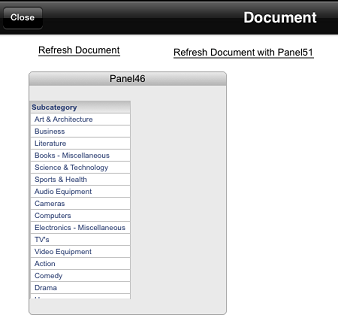
  • From the panel with Subcategory, drill down to Item.
ka04W000000OhltQAC_0EM440000002A8J.png
  • Click on the hyperlink.
ka04W000000OhltQAC_0EM440000002A8c.png
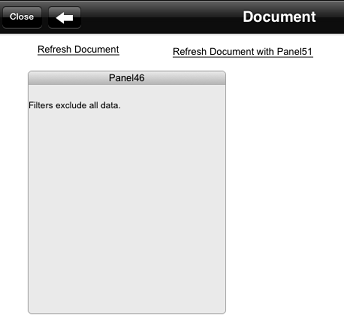
  • Note: The document is re-executed, but the drilling is not undone.

CAUSE:
This is a known issue with Strategy Mobile 9.3.1, where if the URL API is configured to perform both actions, execute the document and specify the panel from the panel stack, the drilling is not undone.
ACTION:
Contact Strategy Technical Support for an update on this issue.
WORKAROUND:
Remove the portion of the URL in charge of setting the panel. Set the panel specified in the URL API as the default panel by making it the visible panel and saving the document through Strategy Web 9.3.1. And only use the URL API to re-execute the document. In this configuration, the issue will not occur.


Comment

0 comments

Details

Knowledge Article

Published:

April 14, 2017

Last Updated:

April 14, 2017