SYMPTOM:
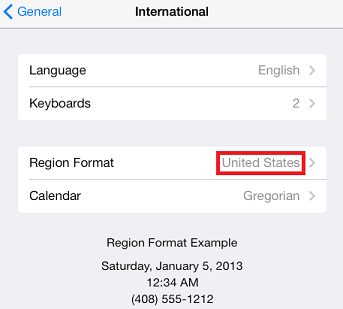
Users located in different parts of the world might specify different "Region Formats" in their device profiles on their iOS device. Doing so may cause a conflict with the data coming from the data warehouse in Strategy Mobile 9.4.0.
For example, a user with a Region Format that uses dates as:
Sample Code/Error
dd/mm/yyyy
Instead of:
Sample Code/Error
mm/dd/yyyy
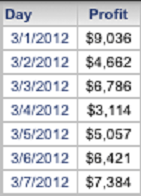
May answer a date prompt with Mar 1st, 2012 and retrieve results for Jan 3rd, 2012, like shown below.
When answering the prompt:

After retrieving the results:

STEPS TO REPRODUCE:
In Strategy Tutorial:



CAUSE:
This is a known issue with Strategy Mobile 9.4.0. Different regions format dates differently. For example, March 1st, 2012 is 03/01/2012 in the United States, but 03/01/2012 corresponds to January 3rd, 2012 in Belgium. When the Region Format is set to Belgium, the iOS client tries to send the prompt answer in the format of the client, but the Strategy Mobile server still reads it in the wrong format, thus send the wrong request in the XML to the Strategy IServer. The Strategy IServer then returns back English formatted dates, instead of the desired dates.
ACTION:
This issue has been fixed in Strategy 9.5.2. Please upgrade your product in order to take advantage of the fix.
WORKAROUND:
Only use "Region Formats" that are of the same data type as the data warehouse that will be queried.
