When troubleshooting Kerberos Integrated Authentication issues, it might be required to enable additional logging to identify the root cause. On Windows machines enable Kerberos Event logging for additional information logged into Windows Event Viewer > System log.
Follow the steps below to enable Kerberos Event Logging:
WARNING: Before following the steps below, ensure to backup the registry of the Windows machine.
For more information, refer to Micosoft KB article Q262177 (http://support.microsoft.com/kb/262177)
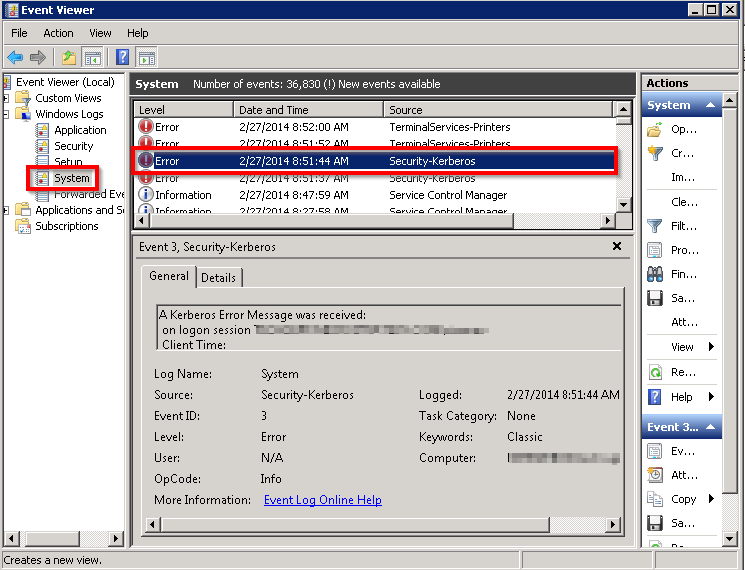
Kerberos Event logging can be accessed via the Windows Event Viewer System log:
Third Party Software Installation:
WARNING:
The third-party product(s) discussed in this technical note is manufactured by vendors independent of Strategy. Strategy makes no warranty, express, implied or otherwise, regarding this product, including its performance or reliability.
Registry Modification:
WARNING:
Modifying registry values incorrectly may cause serious, system-wide problems that may require the re-installation of Microsoft Windows. Any edit of the registry is done at the user's own risk. Since these are user-initiated changes, they are not covered by any Strategy warranty. If using Microsoft Windows, the user should backup the registry and/or update an Emergency Repair Disk (ERD) prior to alterations.
