Strategy allows users to set governing limits on jobs and user sessions at the Intelligence Server and project levels. This technical note explains the File Generation limits which are only available at the Intelligence Server level. Governing rules at the Intelligence Server level are located in Strategy Developer under Strategy Intelligence Server Configuration > Governing Rules > Default > File Generation as shown below.

Note that changing the following governing limits will require an Intelligence Server restart to take effect.

Strategy Intelligence Server cannot handle your request because a memory request has exceeded the configured limit. Please contact the server administrator.
CDSSPdfExporter: The Raw Data buffer exceeded the memory governing limit. The current allocation size is <bytes>, and the limit is <bytes>.
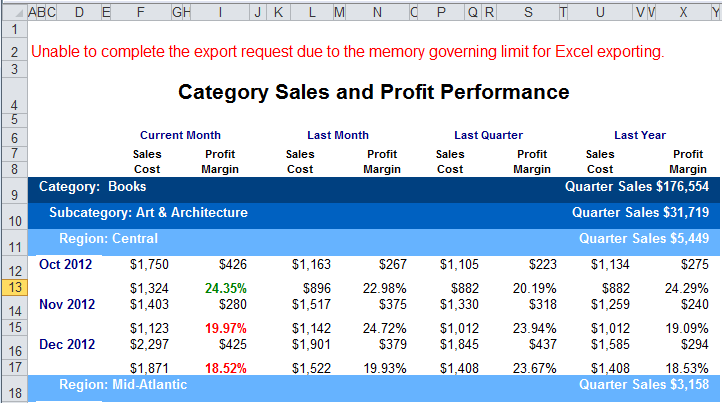
Unable to complete the export request due to the memory governing limit for Excel exporting.
CDSSExcelExporter: Current memory usage exceeded the memory governing limit. The current allocation size: InternalBuffer = <bytes>, MemBuffer = <bytes>, ObjectBuffer = <bytes>, StyleMem = <bytes>, GraphStyleMem = <bytes> and RenderingBuffer = <bytes>. The limit: <bytes>.
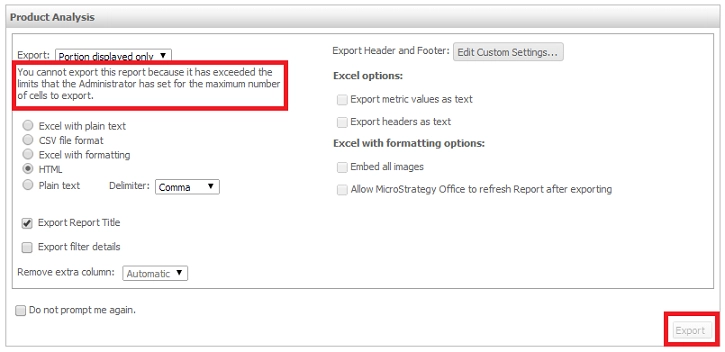
You cannot export this report because it has exceeded the limits that the Administrator has set for the maximum number of cells to export.
