SYMPTOM:
When trying to perform a data import operation from Salesforce in Strategy Web, the error Error fetching access token appears after a few minutes of trying to fetch reports from Salesforce. This error message can be seen in the screenshot below:
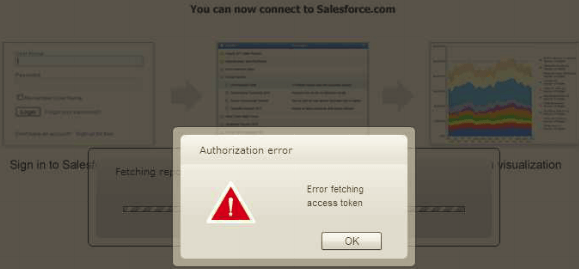
This occurs even after following all of the configuration steps in technical note 42459.
CAUSE:
When Salesforce receives an authentication request from the Strategy webserver, it validates the credentials that were passed in along with the consumer key and consumer secret that the webserver passes in. Salesforce then passes a access token back to the webserver to confirm and grant access. What the error message above indicates is that some part of the transmission process is failing.
What needs to be determined at this point is what part of the transmission process is failing. Is it the outbound authentication request from the Strategy webserver to Salesforce, or is it the incoming submission of the access token from Salesforce?
In order to help determine this, users can take note of the timestamp of an attempted Salesforce date import from Strategy Web, and then check the Salesforce user login history for in order to see if the login was successful on the Salesforce side. If so, then it is very likely that the outbound request was successful. In this case, the issue is likely with the incoming call from Salesforce containing the access token, namely a network rule that is preventing Salesforce's incoming request. If no successful login attempt is seen within Salesforce, the issue is likely with the Strategy webserver's network rules on making outbound calls to Salesforce.
ACTION:
Whether or not the issue is related to the outbound request from the webserver or the incoming request from Salesforce, this issue can likely be solved by making sure that the network layer around the Strategy webserver is set up correctly to both transmit outbound requests to the Salesforce's IP range and accept incoming requests from Salesforce's IP range. Note that at the time of this writing (Feburary 2014), Salesforce uses different IP ranges to accept incoming requests and to send outbound requests - see ranges below:
Salesforce IP range for accepting incoming requests: 204.14.232.0/21
Salesforce IP ranges for sending outbound requests: 96.43.144.0/20,182.50.76.0/22
Alternatively, a (non-Strategy) network trace can be set up to determine the IP ranges that Salesforce uses at any given point in time. The network layer around the Strategy webserver must be configured correctly for both outbound and incoming IP ranges
Note that this set up is the responsibility of the Network Administrator and Strategy Technical Support is very limited in being able to assist with network setup and networking issues in general.
