SYMPTOM:
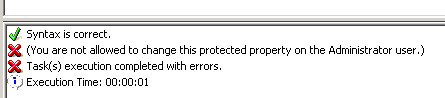
In Strategy Command Manager, when tried to disable the "administrator" user using the " ALTER USER "Administrator" DISABLED;" command fails to execute with this message " You are not allowed to change this protected property on the Administrator user" as shown in the screenshot.
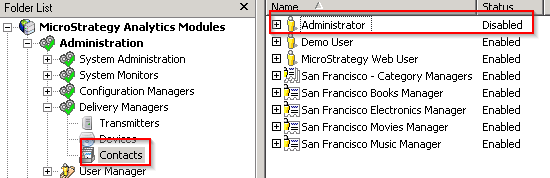
But this affects the "administrator" contact and it will be disabled as shown in the following figure.
CAUSE:
This is a known issue in Strategy 9.x.
ACTION:
Contact Strategy Technical Support for an update on this issue.
WORKAROUND:
You can enable the "administrator" contact by executing the following command in Command Manager.
ALTER USER "Administrator" ENABLED;
