EducationSoftwareStrategy.com
StrategyCommunity

Knowledge Base

Product

Community

Knowledge Base

TopicsBrowse ArticlesDeveloper Zone

Product

Download SoftwareProduct DocumentationSecurity Hub

Education

Tutorial VideosSolution GalleryEducation courses

Community

GuidelinesGrandmastersEvents
x_social-icon_white.svglinkedin_social-icon_white.svg
Strategy logoCommunity

© Strategy Inc. All Rights Reserved.

LegalTerms of UsePrivacy Policy
  1. Home
  2. Topics

KB46268: A Personal View does not launch when clicked on from the My Subscriptions page in MicroStrategy Web 9.4.1


Community Admin

• Strategy


In MicroStrategy Web 9.4.1, when trying to open a personal view of a report/document/dashboard, the user clicks on it, but nothing is launched

SYMPTOM:
In Strategy Web 9.4.1, when trying to open a personal view of a report/document/dashboard, the user clicks on it, but nothing is launched as seen below:
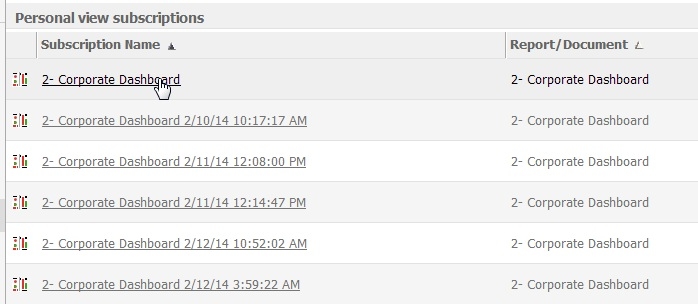
 

ka04W000000OhCBQA0_0EM4400000026HJ.jpeg

 
STEPS TO REPRODUCE:

  • Create a Personal View subscription for any report/document.
  • Go to the My Subscriptions page and confirm the Personal View subscription was created correctly and works.
  • Run any report/document, it is not necessary for it to be the same one as in step 1.
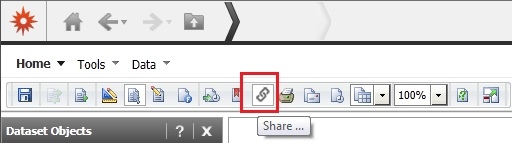
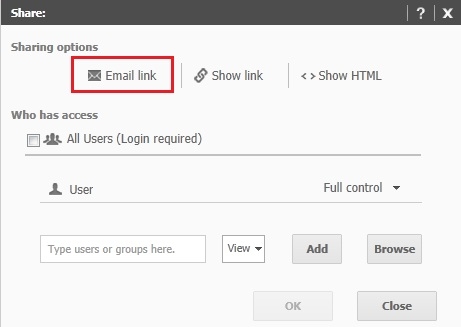
  • Click Share button, then click the "Email link" button, as seen below.
ka04W000000OhCBQA0_0EM4400000026HV.jpeg
ka04W000000OhCBQA0_0EM4400000026HT.jpeg
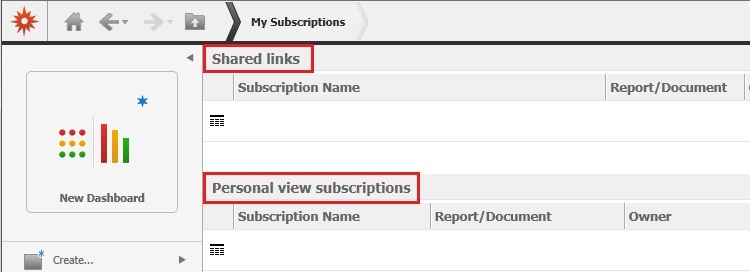
  • Go to the My subscriptions page, notice there is a new section called ‘Shared Links’, like shown below.
ka04W000000OhCBQA0_0EM4400000026HW.jpeg
  • Now the Personal View subscriptions on this page do not work anymore.

CAUSE:
This is a known issue with Strategy Web 9.4.1.
Note: For a similar issue refer to tech note KB46269: "Error in My Subscriptions" error appears when attempting to unsubscribe from a Personal View in the My Subscriptions page in MicroStrategy Web 9.4.1.
 
ACTION:
This issue has been resolved in Strategy Web 9.4.1 hotfix 6 and later. Upgrade to this version to take advantage of the fix.
 
WORKAROUND:

  1. Navigate to the report or document with the personal view.
  2. Click on the "Subscription" icon or link for that object to access that object's subscriptions page.
  3. The Personal View subscriptions will work when executed here.


Comment

0 comments

Details

Knowledge Article

Published:

June 1, 2017

Last Updated:

June 1, 2017