SUMMARY:
This issue has been classified as an enhancement by Strategy. The impact is limited to text boxes in Report Services Documents in Strategy 9.x. A workaround is available in the current document. A solution/code fix for this issue is not available in current releases but is being reviewed for a future Strategy release.
SYMPTOM:
The user has created a Reports Services Document in Strategy 9.x. The user tries to create a dynamic text box with the syntax {:@}. However, this text box renders as static text.
STEPS TO REPRODUCE:
1. Create a report R1 with the Customer attribute.
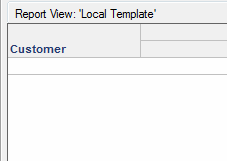
2. Create a document with R1 as a dataset.
3. Define dynamic text on the document as {R1:Customer@}.

4. Run the document. The text box is rendered as static text.

CAUSE:
This issue occurs when using the syntax {:@} in a dynamic text box. This is a known issue classified as an enhancement with Strategy 9.x.
ACTION:
Contact Strategy Technical Support for an update on the status of the issue. Currently this issue is still being reviewed for feasibility by our Technology team and it is not scoped for any upcoming scheduled Strategy release.
WORKAROUND:
To workaround the issue, users can use the syntax {@} in a dynamic text box. This will render as dynamic text.
ADDITIONAL TROUBLESHOOTING:
If the workaround steps above do not resolve the issue, please consider calling Strategy tech support with the following information of troubleshooting already done:
--What is the syntax of the dynamic text box?
--How are the reports used as datasets defined?
TO LEARN MORE:
TN39285: After defining the dataset to be referenced by a dynamic text field in a Report Services document in Desktop or Web 9.2.1, only attribute elements for one dataset are displayed
TN42840: Metric placed on a document as dynamic text does not display as dynamic text and appears as static text in Strategy 9.x.
Strategy 9.x Report Services Document Creation Guide Chapter 2 Adding Text and Data to Documents. Section: Adding Text and Data to Documents: Text fields
