SYMPTOM:
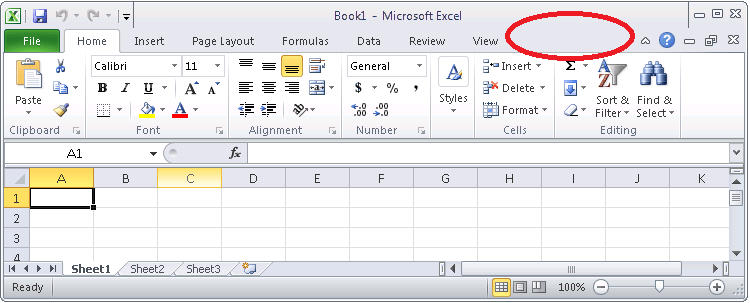
After successful installation of Strategy Office, when a Microsoft Office program starts, the Strategy tab is missing in the ribbon bar. After adding Strategy Office in Microsoft Office Options - COM Add-Ins, the Strategy tab is available. After closing the Microsoft Office program and re-opening it, the Strategy tab is missing again.
STEPS TO REPRODUCE:
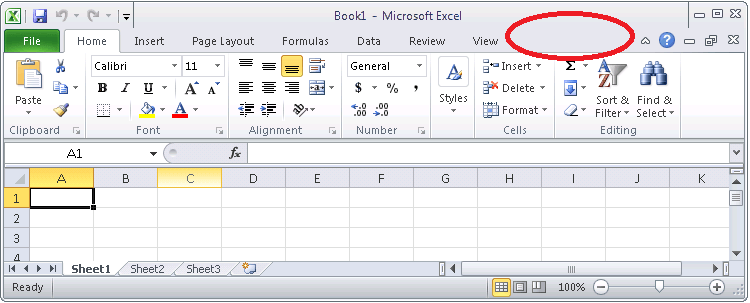
1. Open a Microsoft Office program, e.g. MS Excel. Note that the Strategy tab is missing as shown on the image below:
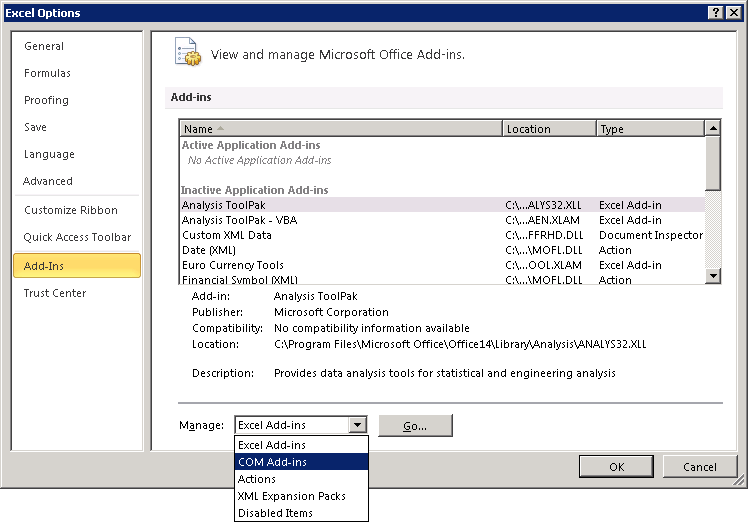
2. In Microsoft Excel open the options screen (File / options), go to section Add-Ins, and select from the drop-down box next to Manage "COM Add-ins" and click "Go...":
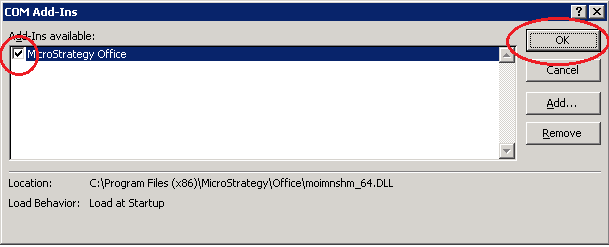
3. In the COM Add-Ins screen, select the check box next to Strategy Office, and click OK:
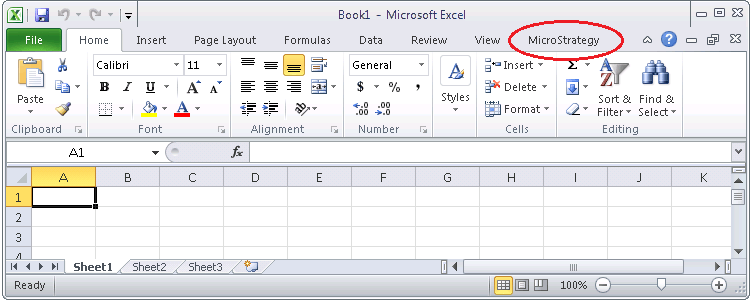
4. After confirming the previous screen, the Strategy Office tab will be available in Excel:
5. After closing Excel and re-opening it, the Strategy tab is missing again.
CAUSE:
The registry key:
64bit:
HKEY_LOCAL_MACHINE\SOFTWARE\Wow6432Node\Microsoft\Office\ | | \AddIns\MozartAddIn.MozartAddIn\LoadBehavior
32bit:
HKEY_LOCAL_MACHINE\SOFTWARE\Microsoft\Office\ | | \AddIns\MozartAddIn.MozartAddIn\LoadBehavior
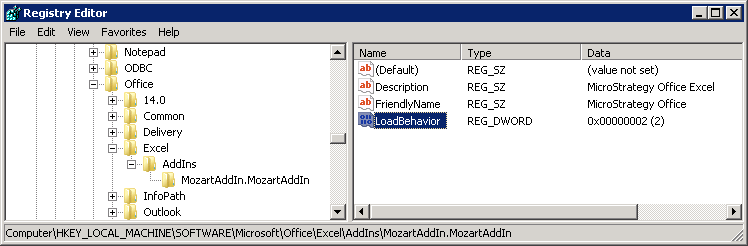
might be set to a value different than 3 as can be seen on the following image:
ACTION:
Change the value of the registry key to 3:
64bit:
HKEY_LOCAL_MACHINE\SOFTWARE\Wow6432Node\Microsoft\Office\ | | \AddIns\MozartAddIn.MozartAddIn\LoadBehavior
32bit:
HKEY_LOCAL_MACHINE\SOFTWARE\Microsoft\Office\ | | \AddIns\MozartAddIn.MozartAddIn\LoadBehavior
Registry Modification Warning:
Modifying registry values incorrectly may cause serious, system-wide problems that may require the re-installation of Microsoft Windows. Any edit of the registry is done at the user's own risk. Since these are user-initiated changes, they are not covered by any Strategy warranty. If using Microsoft Windows, the user should backup the registry and/ or update an Emergency Repair Disk prior to alterations.
46367
