SYMPTOM:
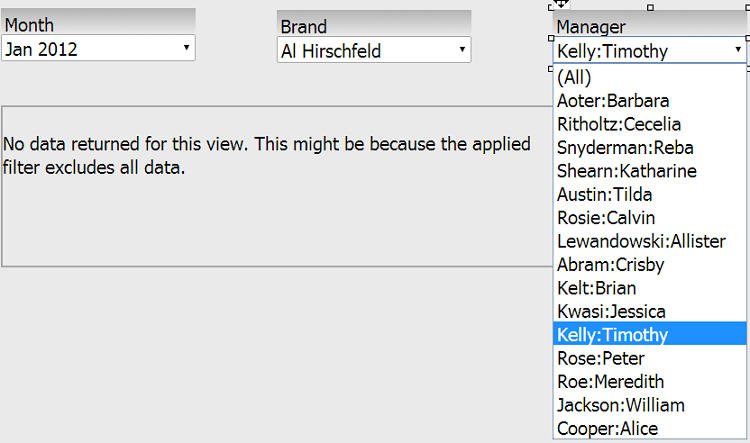
In Strategy Web 9.3.1, if an attribute element of a selector did not have any data associated with it, it would be removed from the list displayed to the user. However, in Strategy Web 9.4.1, the user may encounter a scenario where elements are displayed even if they return no data, as seen below:
STEPS TO REPRODUCE:
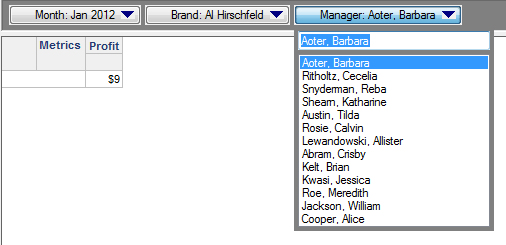
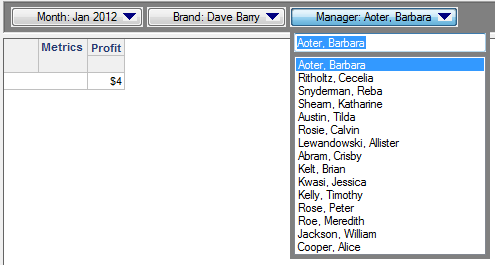
Follow these steps to reproduce this issue in Strategy Tutorial.
CAUSE:
This is a known issue in Strategy Web 9.4.1.
ACTION:
This issue has been addressed in Strategy 9.4.1 HF5. Upgrade to this version to take advantage of the fix.
WORKAROUND:
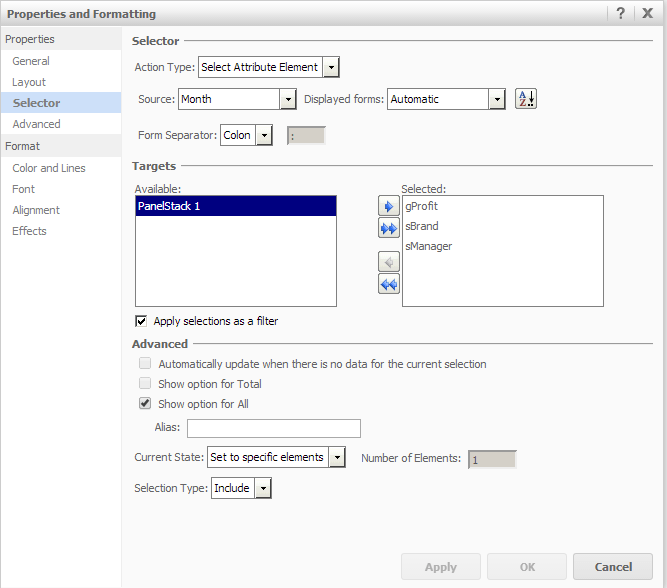
In the selectors' Properties and Formatting > Selector page, uncheck "Apply selections as filter" for each selector. The selectors will filter appropriately now.
"The Strategy Internal Reference Number for the issue discussed in this technical note is 885455"
