SYMPTOM:
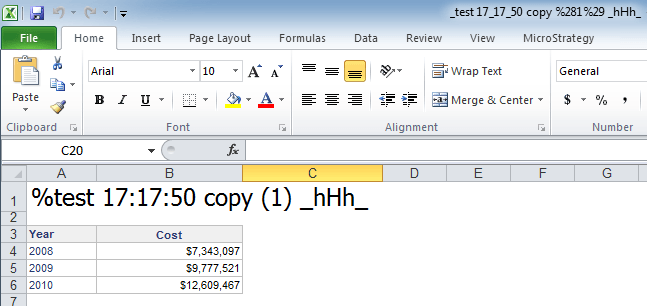
When exporting a report from Strategy Web 9.2.1 to Excel, it is expected that the Excel filename will be the same filename as the report it was saved under. However, when characters such as '%' percent, ':' colon, and '( )' any of the two parenthesis characters are included in the report name, the Excel filename does not include these characters. Refer to the image below and notice how the report name is correctly displayed at the top of the Excel file, but the Excel filename is different from the report name.
STEPS TO REPRODUCE:
CAUSE:
This is a known issue in Strategy Web 9.2.1.
ACTION:
This issue has been fixed in Strategy 9.4. Upgrade to take advantage of the fix.
