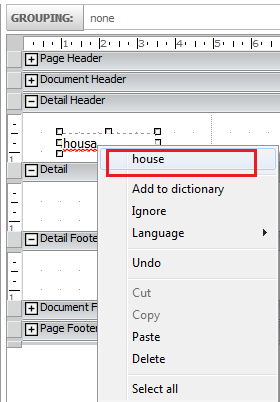
Under some circumstances, users might want to check a spelling at a text field in a Report Services Document in Strategy Web.
Strategy Web does not support spell-check functionality yet but certain Internet browsers have this functionality and this option is available on Chrome, Firefox and Internet Explorer 10 or higher versions.
Note: Internet Explorer 9 or below version does not support this functionality.
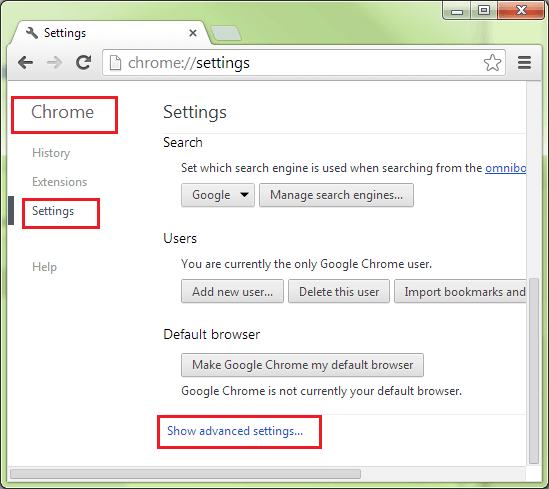
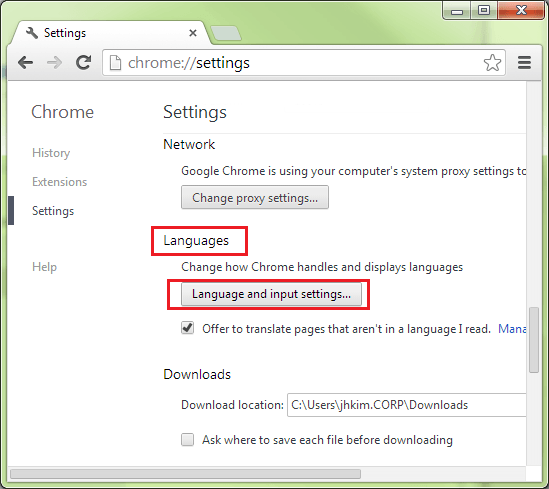
Enabling spell-check functionality in Chrome can be achieved via Chrome > Settings > Show advanced settings.. > Languages > Language and input settings… > check ‘Enable spell checking’ as shown in the image below:
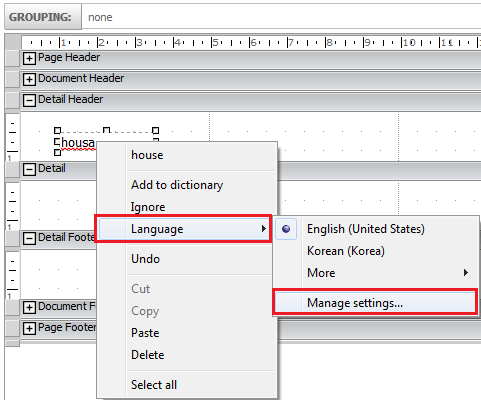
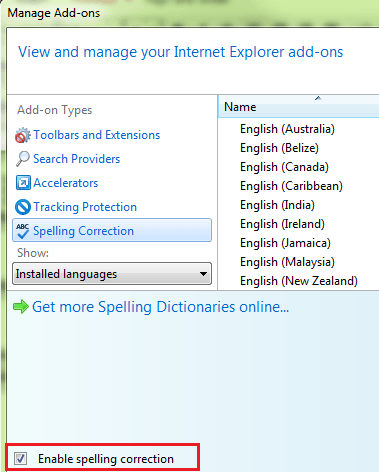
Enabling spell-check functionality in Internet Explorer10 is possible by right-mouse clicking the red wave > Manage settings…> Spelling Correction > check ‘Enable spelling correction’ as shown in the image below:
In the internet browser, the spell checking will take effect after typing punctuation or a space after a word, when you will see a red wave line below the wrong word. Right-mouse click the red wave line, and the suggested word will show as illustrated in the image below: