SYMPTOM:
Under some circumstances, certain unused managed objects are not deleted after performing ‘delete unused managed objects’ in Strategy Developer 9.x and 10.x.
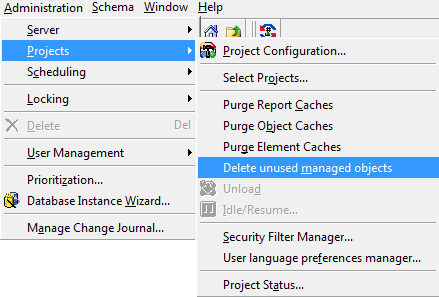
If there are many unused managed objects in a project then the object bulk load in project duplication will not take effect and it will cause slow performance for project duplication.
CAUSE:
By design, 'delete unused managed objects' can only remove 1000 objects in a single transaction. This has been done on an attempt to improve the performance as this operation executes many queries against the metadata.
ACTION:
If the project contains more than 1000 unused managed objects, one will have to execute 'delete unused managed objects' several times to be able to delete all of them.
If the managed objects are not deleted, contact Strategy Technical Support for further assistance.
WORKAROUND:
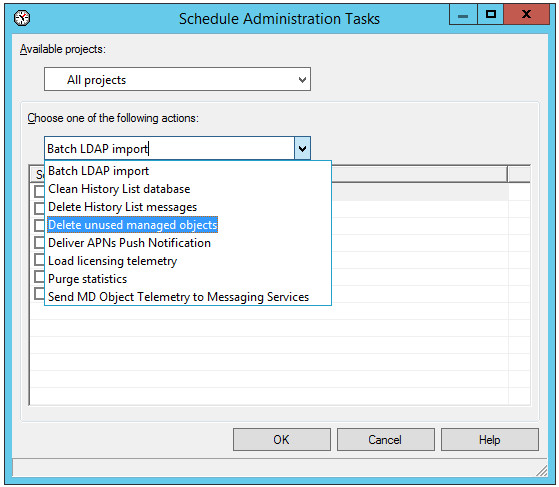
There is an Administrative task named "Delete unused managed objects" under Developer -> Administration -> Scheduling -> Schedule Administration Tasks. User could schedule the task at non-business hours for example Daily 12:00 AM, to smoothly delete all unused managed objects in the project.
KB46453
