EducationSoftwareStrategy.com
StrategyCommunity

Knowledge Base

Product

Community

Knowledge Base

TopicsBrowse ArticlesDeveloper Zone

Product

Download SoftwareProduct DocumentationSecurity Hub

Education

Tutorial VideosSolution GalleryEducation courses

Community

GuidelinesGrandmastersEvents
x_social-icon_white.svglinkedin_social-icon_white.svg
Strategy logoCommunity

© Strategy Inc. All Rights Reserved.

LegalTerms of UsePrivacy Policy
  1. Home
  2. Topics

KB46539: Shapes added in web to a document are not displayed when the document is sent via email as HTML using Distribution Services in MicroStrategy Analytics Enterprise 9.4.1


Community Admin

• Strategy


This article explains a known limitation with Distribution Services that the shapes added to Report Services document are not preserved delivered via Subscription and suggets a workaround.

SYMPTOM:
Shapes added in Web to a document are not displayed when the document is sent via email as HTML using Distribution Services in Strategy Analytics Enterprise 9.4.1 and 10.x
STEPS TO REPRODUCE:

  1. Create a document in Strategy Web 9.4.1.
  2. Select "Blank Dashboard".
  3. Insert a shape in the document.
  4. Right-click the shape and select "Properties and Formatting".
  5. Click "Color and Lines" under "Format".
  6. Under "Fill", select any color.
  7. Run the document in Web.
  8. Save the newly created dashboard and run it in Web.
  9. Click the "Send Now" button.
  10. Select "Data in email" in the "Send" drop down list.
  11. Select "HTML" in the "Delivery Format" drop down list .
  12. Click OK.
  13. Check there is no shape in the email received.

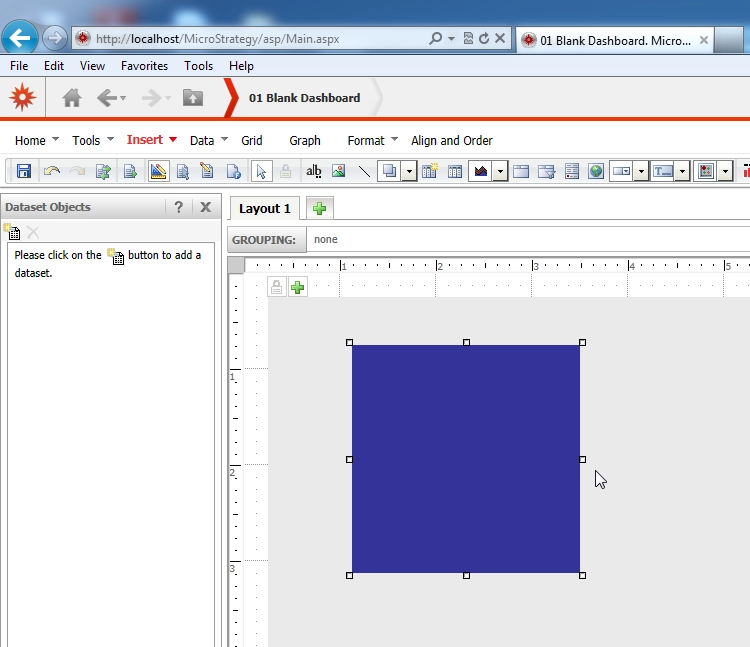
Format seen when executing the document in Web.
 

ka04W000000Obh7QAC_0EM4400000029Ry.png


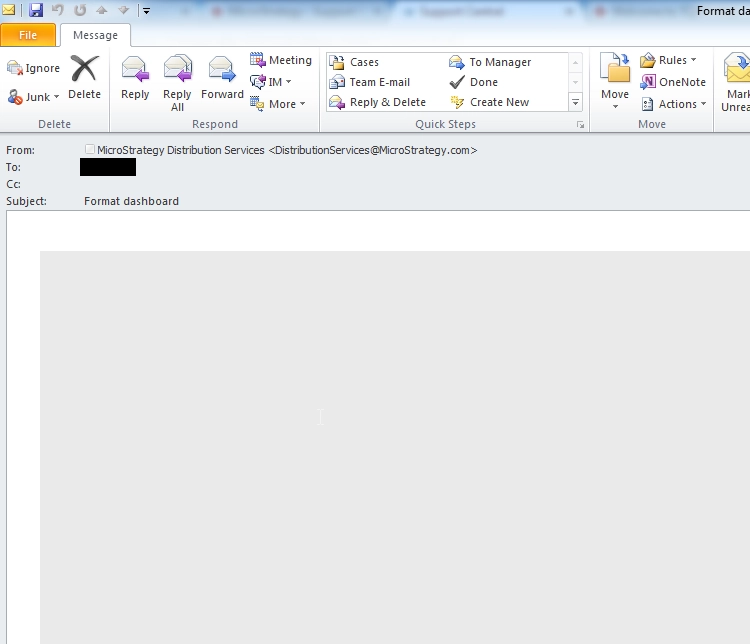
Format seen after receiving the document in the email.
ka04W000000Obh7QAC_0EM4400000029Ru.png

 
CAUSE:
This is a limitation with Strategy Distribution Services 9.4.1 and 10.x
ACTION:
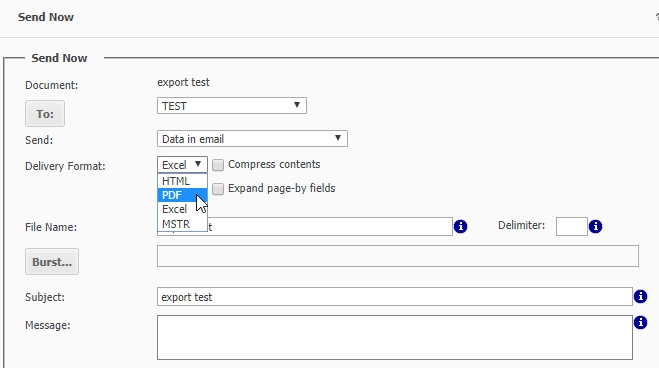
Select PDF as a delivery format instead of HTML.
ka04W000000Obh7QAC_0EM44000000QoY1.png

 
KB46539


Comment

0 comments

Details

Knowledge Article

Published:

June 9, 2017

Last Updated:

September 13, 2018