SYMPTOM:
"Connection Dead. This may have occurred because the server requires Oracle Advanced Security" error message is seen when trying to connect to an Oracle 11gR2 Database running on Windows after creating the DSN in Strategy Connectivity Wizard 9.4.1.
Note: The DSN was created via the Strategy Connectivity Wizard 9.4.1 using the out-of-the-box "Strategy ODBC Driver for Oracle Wire Protocol".
CAUSE:
One cause for this issue is that the out-of-the-box "Strategy ODBC Driver for Oracle Wire Protocol" does not include the capability to configure encryption settings to match the security settings activated on the database-side.
ACTION:
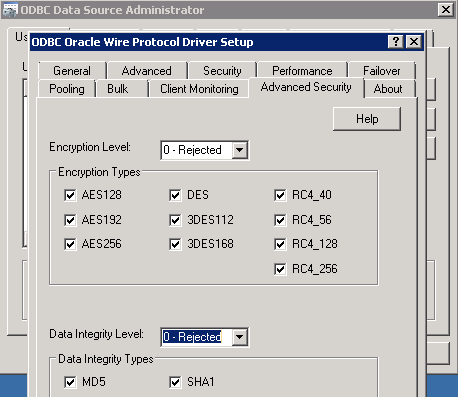
Depending on the security settings activated at the database level, the DSN must be edited in the Windows ODBC administrator (32-bit) to add the level of encryption that matches the database side configuration. A common configuration is to add AES256 and SHA1 in "Advanced Security".