SYMPTOM:
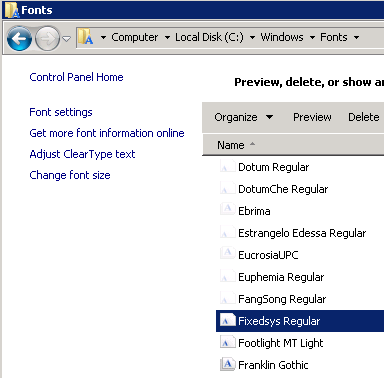
As an example, we can see below that the machine has the Fixedsys Regular font installed; however, in Strategy Developer, this option is left out of the list of available fonts.
Fonts installed on the machine:
Font options when setting the text formatting in Strategy Developer:
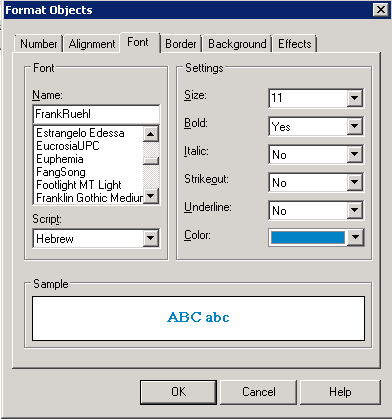
Notice in the lists above that Fixedsys is missing from the available fonts in Strategy Developer.
CAUSE:
The reason for this is the font list populated within Strategy Desktop filters out non true type fonts. Strategy Developer formatting will only display true type fonts as available fonts. For a complete list of true type fonts please refer to the external site http://www.aieacopycenter.com/files/fontlist.pdf. If the font desired is in this list of true type fonts but is not displayed as an option, it is likely not displayed because it is not installed on the machine.
A few examples of non true type fonts that one may encounter this with are fixedsys, small fonts, system, and termina.
