How to create a new ODBC connection
If a new database connection is required for a Strategy Cloud environment follow the next steps:
- Open a Technical Support case requesting a new DSN (Data Source Name) connection with at least the following information:
- DB vendor
- Connection Name
- Hostname/IP
- Port
- Database Name (and/or SID/Service Name)
- The support engineer might request additional information or files as required to generate the connection.
How to create a new Database Instance
- Create a Database Instance in Strategy Desktop/Developer by following the next steps:
- Navigate to "Administration > Configuration Managers > Database Instances"
- Create a new database instance by giving it a name and selecting the connection type
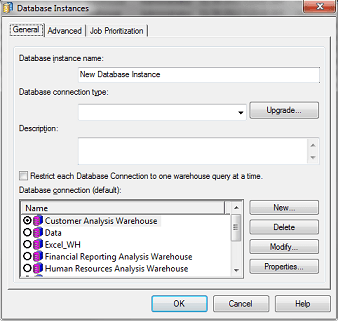
- Create a new database connection and select the DSN created by the support engineer from the list
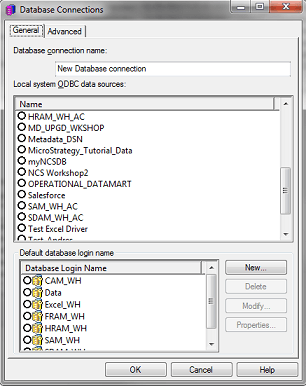
- Create a new database login and input the database credentials
- Save the changes and add the database instance to the desired project
Where to get the drivers?
If the database driver is not bundled with Strategy, such as MySQL, SAP, Netezza, among others, the driver will need to be installed in the Intelligence Server Linux machine and in the Utility Box Windows machine if ODBC Test tool will be connecting to the database as well.
The following rules will define where to get the proper driver:
- If the database is hosted by Strategy Cloud, Strategy will obtain the driver and install it as required.
- If the database is hosted by a customer or a third party, the customer will provide the required drivers and Strategy will install the drivers on the required machines.
Note: For a new database connection to work properly, the required IP's/Hosts, need to be added to the customer VPN tunnel, else no connectivity will be possible.
