EducationSoftwareStrategy.com
StrategyCommunity

Knowledge Base

Product

Community

Knowledge Base

TopicsBrowse ArticlesDeveloper Zone

Product

Download SoftwareProduct DocumentationSecurity Hub

Education

Tutorial VideosSolution GalleryEducation courses

Community

GuidelinesGrandmastersEvents
x_social-icon_white.svglinkedin_social-icon_white.svg
Strategy logoCommunity

© Strategy Inc. All Rights Reserved.

LegalTerms of UsePrivacy Policy
  1. Home
  2. Topics

KB46631: Step by step illustration of nested prompt usage in MicroStrategy 9.4.1 Update 2 iOS


Community Admin

• Strategy


This article provides an example of how to use nested prompts on MicroStrategy Mobile. This is a new feature in MicroStrategy Mobile 9.4.1 Update 2 for iOS.

In Strategy 9.4.1 Update 2 iOS, nested prompt is introduced as a new feature which is already available in Strategy Web and developer. It is required to upgrade Strategy Mobile server to 9.4.1 hotfix 3 or above. Now it's able to use a prompted filter to restrict prompt element and prompts are cascaded. Refer to KB47563 for more details on this feature.
 
The below example shows how nested prompts are answered in Strategy Mobile 9.4.1 iOS:
 
Use a year prompt to filter quarter:
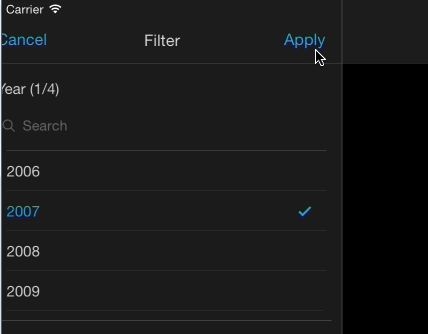
ka04W000000ObJTQA0_0EM440000002A6l.jpeg

 
After selecting year 2007, only quarters in year 2007 are displayed:
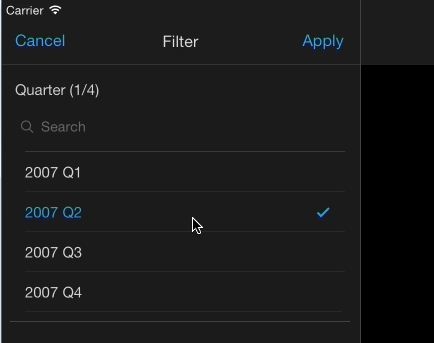
ka04W000000ObJTQA0_0EM440000002A6m.jpeg

 
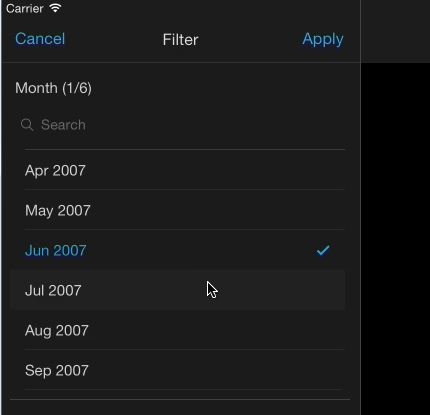
Then use quarters to filter month:

ka04W000000ObJTQA0_0EM440000002A6p.jpeg

 
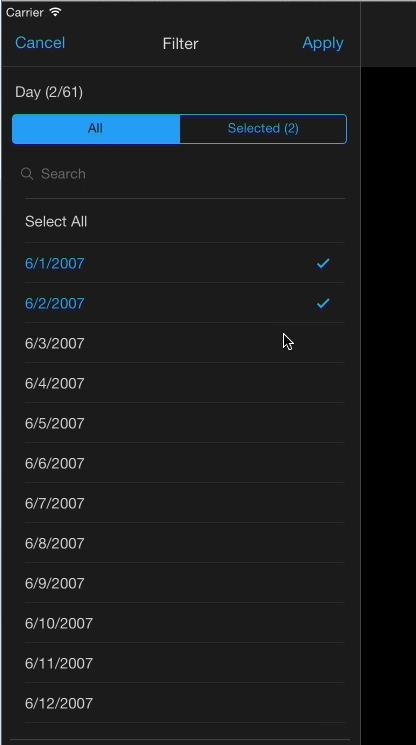
Finally use month to filter days:

ka04W000000ObJTQA0_0EM440000002A6k.jpeg

 
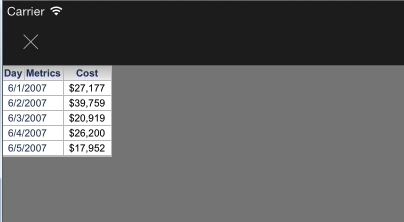
After answering the deepest prompt, the report is executed:
ka04W000000ObJTQA0_0EM440000002A6n.jpeg

46631


Comment

0 comments

Details

Knowledge Article

Published:

April 7, 2017

Last Updated:

March 31, 2019