SYMPTOM:
In Strategy Web 9.x, when you execute a graph report, which spans over several pages, and you then create an e-mail subscription in PDF format, only one page of the graph report will be sent.
STEPS TO REPRODUCE:
1. In the Tutorial Project, create a report with Day and Order count on template.
2. Add only one month to the filter, for example Jan 2010.
3. Save report as graph report.
4. In Web, execute this graph report and see that the report spans over multiple pages (3 in this example):

5. Within the executed report, create an email subscription (Delivery format: PDF) or click on 'Send Now':

6. Check the email received > the PDF attachment will only show the one page seen previously on the screen.
7. Now go back to the folder the report is located in and subscribe the report directly from there:
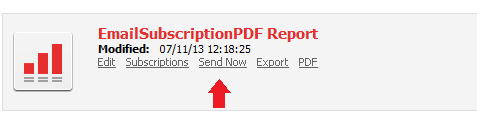
8. Check the email again > the PDF attachment will now include all three pages.
CAUSE:
This is a known issue in Strategy 9.x.
ACTION:
Please contact Strategy Technical Support for an update on this issue.
