SYMPTOM:
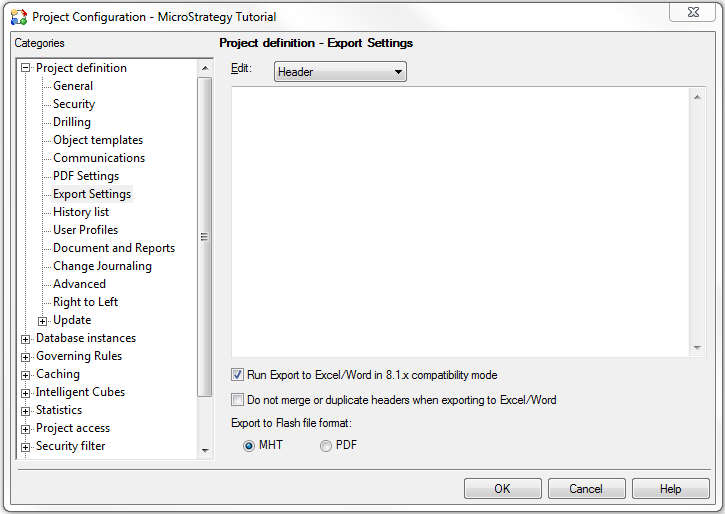
User cannot export more than 65,536 rows to Microsoft Excel 2007 when the option "Run Export to Excel/Word in 8.1.x compatibility mode" is checked in the Project Configuration in Strategy Developer 9.4.x - 10.x.
CAUSE:
In Strategy Developer, it was not possible to export more than 65,536 rows to Microsoft Excel 2007. This was working as designed (refer to KB16988 : "Is it possible to export more than 65,536 rows in Microsoft Excel 2007 from Strategy Desktop 8.1.x?").
This limitation was removed in Strategy 9.x: even if users can only display the first 65,536 rows, this limitation does not affect exporting anymore and up to 1,048,576 rows by 16,384 columns can be exported to Microsoft Excel 2007 or later.
However, if the option "Run Export to Excel/Word in 8.1.x compatibility mode" is checked in the Project Configuration in Strategy Developer, this limitation comes back and only up to 65,536 can be exported to Microsoft Excel 2007 or later.
ACTION:
Open the Project Configuration, expand the menu Project definition, click on Export Settings and uncheck the option "Run Export to Excel/Word in 8.1.x compatibility mode". This removes such a limitation.
