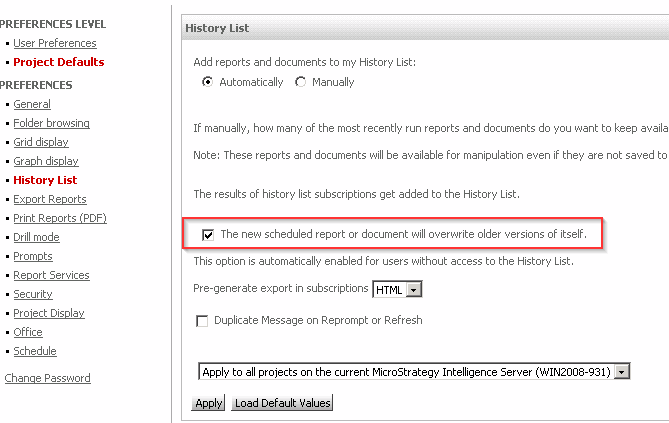
To ensure that newer versions of the report or document overwrite previous versions of itself in the History List, "The new scheduled report will overwrite older versions of itself" setting is available at both project level and subscription level.
Project Level: Go to Preferences>Project Defaults>History List.
Subscription Level: Go to History List subscription>edit>Advanced Options.
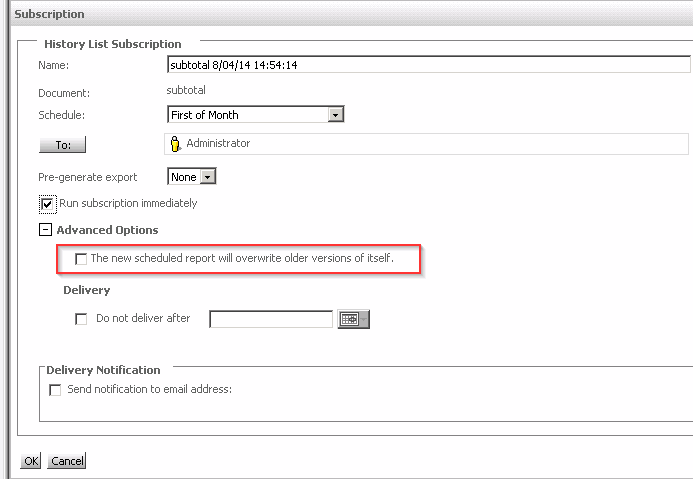
When these two settings are inconsistent, subscription level setting will be used.
For example in this case, if user select this setting in Project Level and uncheck this setting in subscription level, the newer versions of the report or document will NOT overwrite the older version of itself. User will see a new history list with same name but different message creation time.
