SYMPTOM:
When importing a file anywhere in Strategy Web, an error message similar to the following is seen:
In 9.4.1:

Sample Code/Error
com.Strategy.webapi.MSTRWebAPIException: (UnpackBinarySize has failed.)
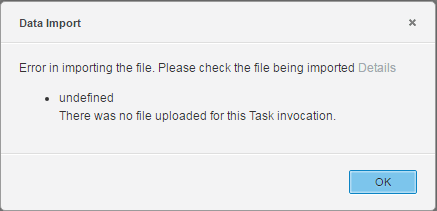
undefined
There was no file uploaded for this Task invocation.
java.io.IOException: The system cannot find the path specified
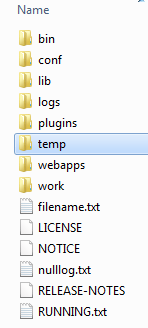
This "temp" folder is missing in the Tomcat installation directory, causing the above errors when uploading any files to Strategy Web, as the required temporary files cannot be created during the upload.
ACTION:
Verify that this directory exists. If it is missing, create this "temp" folder again and restart the Web server.
Third Party Software Warning:
The third-party product(s) discussed in this technical note are manufactured by vendors independent of Strategy. Strategy makes no warranty, express, implied or otherwise, regarding these products, including their performance or reliability.
