SYMPTOM:
In this particular scenario, a non-administrative Strategy user may run a prompted freeform SQL report and save it to a different file location in their project. When that user runs the newly saved document and answers the prompts they are returned an error. This issue does not reproduce in Developer. A screenshot of a portion of the error is as follows:
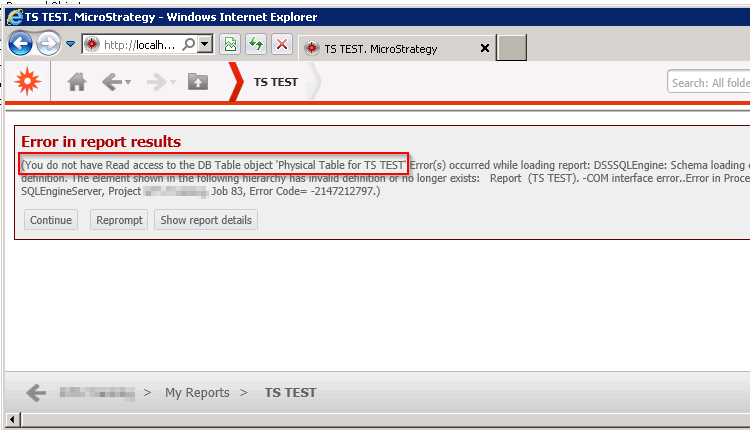
Error in Report Results

(You do not have Read access to the DB Table object 'Physical Table for XXX'.Error(s) occurred while loading report: DSSSQLEngine: Schema loading error: There is error in report definition. The element shown in the following hierarchy has invalid definition or no longer exists: Report (XXX). -COM interface error..Error in Process method of Component: SQLEngineServer, Project XXX, Job 67, Error Code= -2147212797.)
CAUSE:
This is a known issue in Strategy Web 9.4.1.
ACTION:
This issue has been addressed with Strategy 9.4.1 Hotfix 4. Upgrade to take advantage of the fix.
WORKAROUND:
To avoid this error follow one of the below workarounds:
