EducationSoftwareStrategy.com
StrategyCommunity

Knowledge Base

Product

Community

Knowledge Base

TopicsBrowse ArticlesDeveloper Zone

Product

Download SoftwareProduct DocumentationSecurity Hub

Education

Tutorial VideosSolution GalleryEducation courses

Community

GuidelinesGrandmastersEvents
x_social-icon_white.svglinkedin_social-icon_white.svg
Strategy logoCommunity

© Strategy Inc. All Rights Reserved.

LegalTerms of UsePrivacy Policy
  1. Home
  2. Topics

KB46894: How to directly email a link to a report and dashboard in MicroStrategy Analytics Enterprise 9.4.x. and 10.x


Community Admin

• Strategy


How to directly email a link to a report and dashboard in MicroStrategy Analytics Enterprise 9.4.x. and 10.x

 
The links to report and documents can be directly emailed without running them starting from Strategy Analytics Enterprise 9.4.x 
 
Steps to generate and email the link:
Right click on the document/ report name in the Shared folder.
Click on "share" .
Under Sharing options click on Email Link.
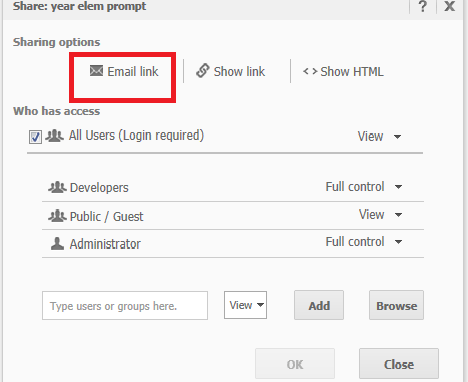
 

ka04W000000Oc0DQAS_0EM44000000269c.png

 
Clicking on "Email Link" opens the third party email , for example Outlook.
 
The email link is self populated in the email.


Comment

0 comments

Details

Knowledge Article

Published:

May 31, 2017

Last Updated:

May 31, 2017