SYMPTOM:
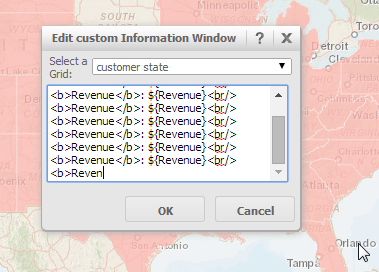
In the ESRI maps widget in Strategy Web 9.4.1, users have the ability to edit and use the Custom Information Window. When editing the Custom Information Window, users may no longer be able to type additional characters, as seen in the image below.
CAUSE:
This is working as designed in Strategy Web 9.4.1. There is a 256 character limit in the Custom Information Window for ESRI maps. This character limit includes letters, numbers, punctuation, spaces, and other special characters. Once there are 256 characters in the Information Window, users will no longer be able to add additional characters until there is available space. A request has been logged to address this issue.
ACTION:
Strategy will continue to investigate and post updates as soon as they are available.
KB46910
