EducationSoftwareStrategy.com
StrategyCommunity

Knowledge Base

Product

Community

Knowledge Base

TopicsBrowse ArticlesDeveloper Zone

Product

Download SoftwareProduct DocumentationSecurity Hub

Education

Tutorial VideosSolution GalleryEducation courses

Community

GuidelinesGrandmastersEvents
x_social-icon_white.svglinkedin_social-icon_white.svg
Strategy logoCommunity

© Strategy Inc. All Rights Reserved.

LegalTerms of UsePrivacy Policy
  1. Home
  2. Topics

KB46962: Only the current value of a drop-down panel selector can be seen in the exported PDF file where all panels within a panel stack are expanded in MicroStrategy Web


Community Admin

• Strategy


This knowledge base article explains that only the current value of a drop-down panel selector can be seen in the exported PDF file

SYMPTOM:
 
Only the current value of a drop-down panel selector can be seen in the exported PDF file where all panels within a panel stack are expanded in Strategy Web 10.
 
STEPS TO REPRODUCE:
  1. Check "Clip contents of Panel Stack when exporting" to expand all panels within a panel stack when exporting to Excel or PDF, as outlined in following Strategy Knowledge Base technical note:
    KB43670 - How to expand all panels within a panel stack when exporting to Excel or PDF in Strategy Web 10.x
     
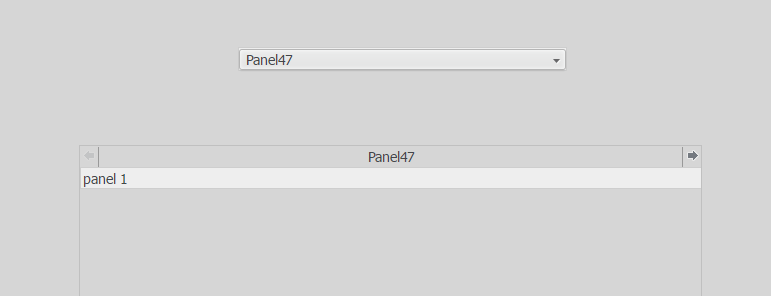
  2. Run the document in Web:
ka04W000000Oe0tQAC_0EM440000002Q6B.png


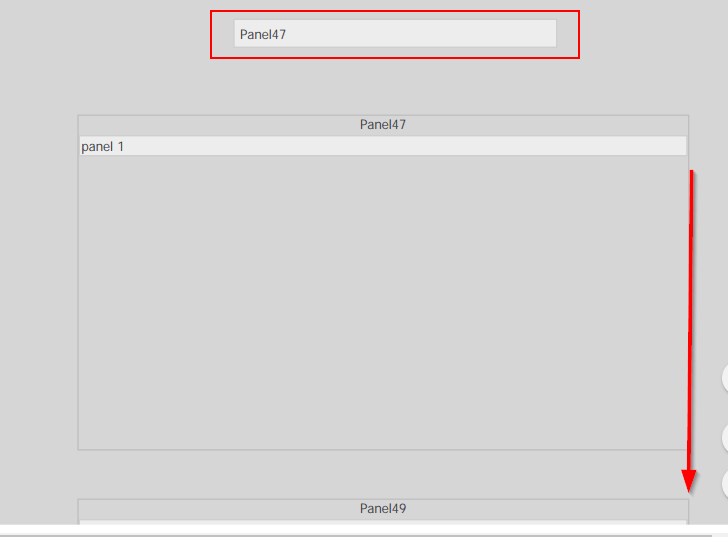
  • Export the document to PDF. In the exported PDF file, only the "Panel 47" is seen in the selector while the PDF contains all panels exported vertically.
ka04W000000Oe0tQAC_0EM440000002Q6G.png


CAUSE:
This is expected behavior. Only the currently selected drop down value is seen in the exported PDF document. 


Comment

0 comments

Details

Knowledge Article

Published:

June 14, 2017

Last Updated:

June 14, 2017