SYMPTOM:
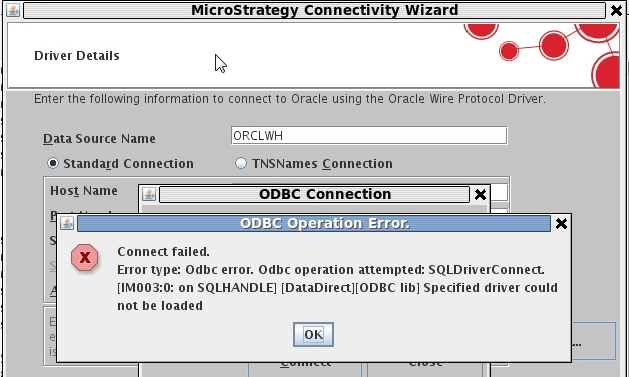
An ODBC error mentioning that the specified driver could not be loaded is seen while testing the connection to an Oracle database through Connectivity Wizard (mstrconnectwiz) on a Unix Intelligence Server machine after a hotfix has been uninstalled on Strategy 9.4.x.
The following steps can be taken in order to reproduce the issue:
1. Install Strategy 9.4.1 GA on a Unix Intelligence Server machine.
2. Install 9.4.1 HF2 over the GA install.
3. Launch Connectivity Wizard by executing the following command in the /bin directory of the installation: ./mstrconnectwiz
4. Create a DSN to an Oracle database, and test the connectivity by providing the required credentials. Notice the test connection succeeds.
5. Uninstall the hotfix by the following the directions in TN: 42274
6. Launch Connectivity Wizard again, provide the details in order to create the DSN and test the connection.
The following error message is seen:
CAUSE:
This is a known issue in Strategy 9.4.x. Uninstalling the hotfix deletes the MYoraXX.so driver, so any connections which uses the driver do not work after the uninstall.
ACTION:
The issue has been addressed and fixed in Strategy 9.4.1 HF 3. Upgrade to this version in order to resolve the issue.
