EducationSoftwareStrategy.com
StrategyCommunity

Knowledge Base

Product

Community

Knowledge Base

TopicsBrowse ArticlesDeveloper Zone

Product

Download SoftwareProduct DocumentationSecurity Hub

Education

Tutorial VideosSolution GalleryEducation courses

Community

GuidelinesGrandmastersEvents
x_social-icon_white.svglinkedin_social-icon_white.svg
Strategy logoCommunity

© Strategy Inc. All Rights Reserved.

LegalTerms of UsePrivacy Policy
  1. Home
  2. Topics

KB47064: In MicroStrategy Developer, using the German syntax "#." to format numbers to displays thousands does not work


Community Admin

• Strategy


In MicroStrategy Developer, using the German syntax "#." to format numbers to displays thousands does not work

Symptoms

When trying to edit a metrics number format, the syntax to display the number in thousands is "#,". When using the locale regional German syntax "#.", the formatting is not applied.


Steps to reproduce

Formatting is NOT applied as expected.
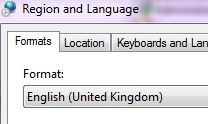
  • When using English regional settings:
    • Set the Windows OS regional settings to English (US) and Strategy Developer language to English
ka04W000000OfP6QAK_0EM440000002CJZ.jpeg
    • Log into Strategy Developer and create a report with Category and Unites Sold, run the report
    • Right mouse click on Units Sold and go to Formatting > Units Sold values
ka04W000000OfP6QAK_0EM440000002CJT.jpeg
    •  on the Number tab, select Custom
    •  type: #, (This is the English syntax to display in thousands)
ka04W000000OfP6QAK_0EM440000002CJb.jpeg
    •  click OK
ka04W000000OfP6QAK_0EM440000002CJX.jpeg
  • Formatting is applied as expected.
     
  • When using German regional settings :
    • set the Windows OS regional settings to German (Germany) and Strategy Developer language to German
    • log into Strategy Developer and create a report with Category and Unites Sold, run the report
    • Right mouse click on Units Sold and go to Formatting > Units Sold values (Formatierung > Units Sold Werte)
    • on the Number tab, select Custom (Zahl > Individuell)
    • type: #. (This is the German syntax to display in thousands) 
ka04W000000OfP6QAK_0EM440000002CJc.jpeg
    • click OK


Cause

The syntax is hard coded and is the same for all languages.
 

Action

Use the syntax for English language as described in TN 16876 How to customize a metric's format using syntax in MicroStrategy Desktop 9.x and newer


Comment

0 comments

Details

Knowledge Article

Published:

June 8, 2017

Last Updated:

June 8, 2017