Essbase substitution variables are global placeholders for data whose values can be set for the entire Essbase server, an application or a database. In Strategy, the value of the substitution variable needs to be updated once and can be reflected across all the reports.
Strategy users can take advantage of Essbase substitution variables in MDX report execution in one of two manners: 1) A local report filter or 2) A filter definition prompt that uses attribute qualification.
Essbase substitution variable sample creation
In this example, a substitution variable ‘CurQtr’ was created in Essbase so that it would be replaced with the value of the current quarter (which in this example is Qtr1) when it is passed to Essbase.
The Essbase administrator issues the following command using MaxL Client:
Syntax:
alter add variable
E.g.
MAXL > alter application Sample add variable CurQtr Qtr1;
As the current quarter changes (from Qtr1 to Qtr2), the Essbase administrator will update the variable so that any reports with the embedded value of ‘CurQtr’ will return data for the proper quarter.
Example 1: Use a local report filter to pass the Essbase substitution variable value to Essbase.
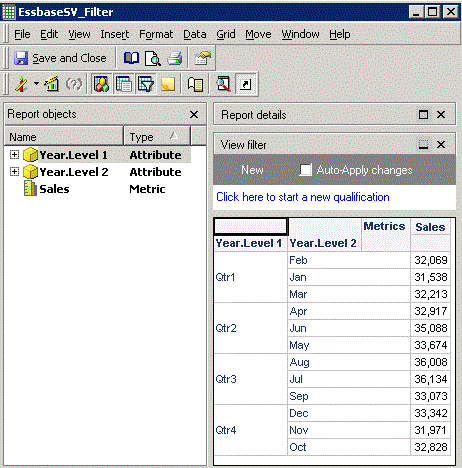
In the following example, an Essbase report has two attributes from the Year dimension and the Sales metric. Prior to applying the Essbase substitution variable, the report will return all quarters of the year dimension as shown below:
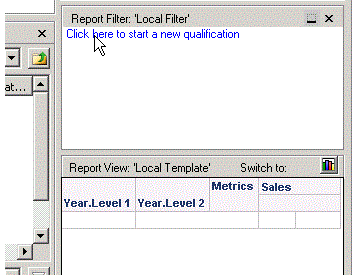
Add a report filter which can determine if ID form of Year. Level 1 is equal to substitution variable CurQtr as shown below:
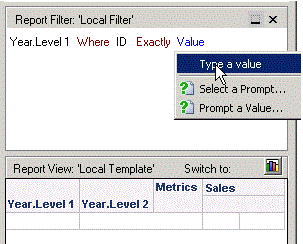
Note: The substitution variable should be enclosed in brackets and prefixed with ‘&’.
After the report is executed again, it will only return rows for current quarter that match the substitution variable value as shown below:

Example 2: Use a filter definition prompt to pass the Essbase substitution variable value to Essbase
In the following example, an Essbase report has two attributes from the Year dimension and the Sales metric. Prior to applying the Essbase substitution variable, the report will return all quarters of the year dimension as shown below:
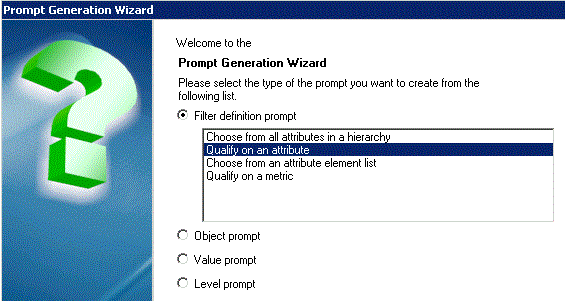
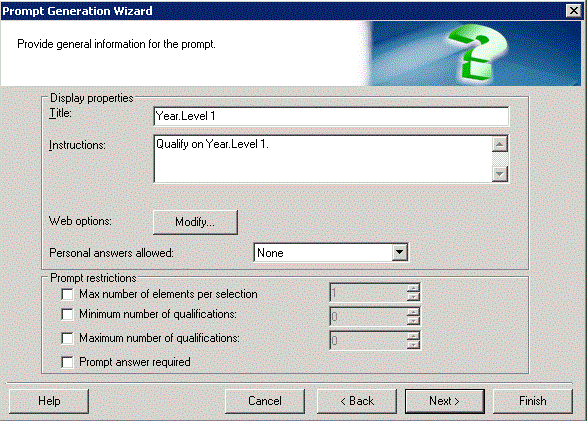
Then, start the Prompt Generation Wizard to create a prompt on attribute Year. Level 1 with default qualification answer as shown below:
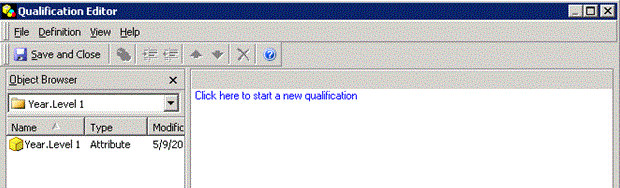
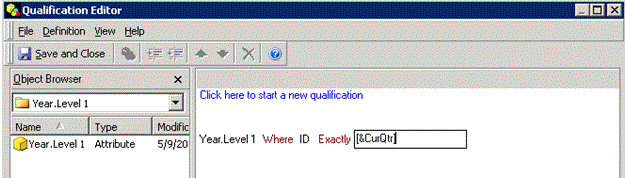
Note: The substitution variable should be enclosed in brackets and prefixed with ‘&’.
Save and close the Qualification Editor and Finish the Prompt Editor. Click Finish and save the prompt. In MDX report, add this prompt to report filter as shown below:

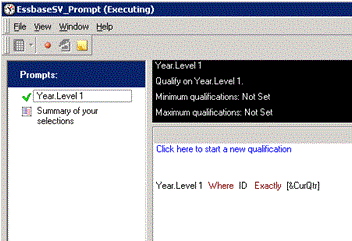
Execute the report and answer the newly added prompt. It will only return rows for current quarter that match the substitution variable value as shown below:
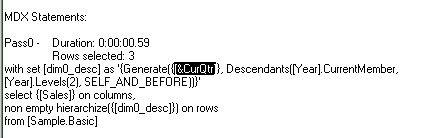
Strategy reports whose filter definition is constantly changing can make use of substitution variables such that they are dynamically updated every time the value of the substitution variable is changed.
