EducationSoftwareStrategy.com
StrategyCommunity

Knowledge Base

Product

Community

Knowledge Base

TopicsBrowse ArticlesDeveloper Zone

Product

Download SoftwareProduct DocumentationSecurity Hub

Education

Tutorial VideosSolution GalleryEducation courses

Community

GuidelinesGrandmastersEvents
x_social-icon_white.svglinkedin_social-icon_white.svg
Strategy logoCommunity

© Strategy Inc. All Rights Reserved.

LegalTerms of UsePrivacy Policy
  1. Home
  2. Topics

KB47173: When clicking ‘Search for configuration object’ button, the search editor does not open in MicroStrategy Object Manager 9.4.1


Community Admin

• Strategy


When clicking ‘Search for configuration object’ button, the search editor does not open in MicroStrategy Object Manager 9.4.1

SYMPTOM:
 
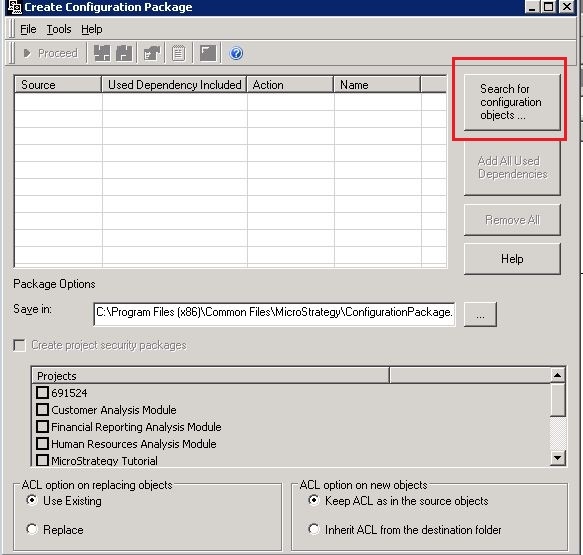
The user is trying to create a configuration object package via Object Manager. However, when clicking ‘Search for configuration object’ button, the search editor does not open.
 

ka04W000000OdYuQAK_0EM440000002CMP.jpeg

 
CAUSE:
 
One possible cause is that the user who runs Object Manager does not have "User search editor" privilege.
 
ACTION:
 
Grant the user with "User search editor" privilege


Comment

0 comments

Details

Knowledge Article

Published:

April 12, 2017

Last Updated:

April 12, 2017