EducationSoftwareStrategy.com
StrategyCommunity

Knowledge Base

Product

Community

Knowledge Base

TopicsBrowse ArticlesDeveloper Zone

Product

Download SoftwareProduct DocumentationSecurity Hub

Education

Tutorial VideosSolution GalleryEducation courses

Community

GuidelinesGrandmastersEvents
x_social-icon_white.svglinkedin_social-icon_white.svg
Strategy logoCommunity

© Strategy Inc. All Rights Reserved.

LegalTerms of UsePrivacy Policy
  1. Home
  2. Topics

KB47194: "SSL passed certificate is self signed and the same certificate cannot be found in the list of trusted certificates[...]SSL negotiation failed." error message appears when opening a project in Desktop/Developer in MicroStrategy 9.x


Stefan Zepeda

Salesforce Solutions Architect • Strategy


"SSL passed certificate is self signed and the same certificate cannot be found in the list of trusted certificates[...]SSL negotiation failed." error message appears when opening a project in Desktop/Developer in MicroStrategy 9.x

SYMPTOM:
 
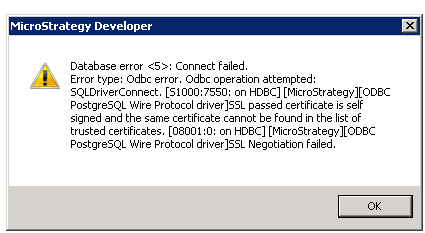
When opening a project in Desktop/Developer with SSL enabled in Strategy 9.x, the following error message is encountered.
ka02R000000kcEDQAY_0EM440000002JC3.png


SSL passed certificate is self signed and the same certificate cannot be found in the list of trusted certificatesSSL negotiation failed.
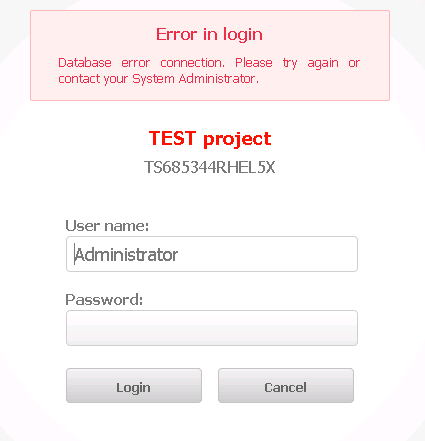
 
Additionally, when conencting from Web, the user encounters the following message.
 

ka02R000000kcEDQAY_0EM440000002JC5.png

 
CAUSE:
 
This issue is caused due to a change in the SSL certificate on the database side and the certificate files on the Intelligence Server machine are of an older version.
 
ACTION:
 
Contact the Database Administrator for the new SSL certificate files on the database and copy the files to the Intelligence Server machine. On Windows, the files will have to be in the directory specified in the "Encryption Settings" configuration in the 32-bit ODBC Administrator. In UNIX/Linux, the files will have to be copied to the directory specified in the "TrustStore= " parameter in the ODBC.ini file. After the new files are restored on the Intelligence Server, a restart of the Intelligence Server is not necessary.
 
Third Party Software Installation:
WARNING:
The third-party product(s) discussed in this technical note is manufactured by vendors independent of Strategy. Strategy makes no warranty, express, implied or otherwise, regarding this product, including its performance or reliability.


Comment

0 comments

Details

Knowledge Article

Published:

May 18, 2017

Last Updated:

May 18, 2017