SYMPTOM:
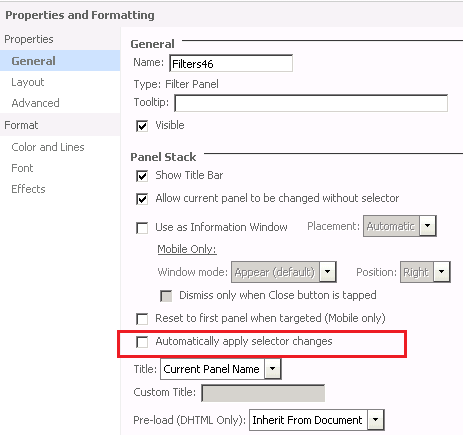
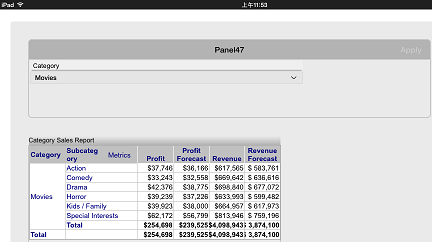
A filter panel cannot manually apply selector changes in a document created from dashboard template with Strategy Mobile 9.4.1 Update 2 on iPad. The apply button is greyed out when the selection is changed on iPad, but the selector changes are applied automatically.
STEPS TO REPRODUCE:
Follow the steps below to reproduce the issue with Strategy Tutorial project:

CAUSE:
This is a known issue in Strategy Mobile 9.4.1 Update 2.
ACTION:
This issue has been addressed in Strategy Mobile 9.4.1 Update 4. Upgrade to that version or later to take advantage of this fix.
WORKAROUND:
This issue only occurs in a document created from dashboard template. Using a document template instead of dashboard template can prevent this issue.
