When using the "like" function, the symbol "%" is usually used in the syntax. For example, the syntax "Region@DESC like '%South%'" will return TRUE if Region is "Mid Southern", "SouthEast", "South" and so on. However, when inserting the "like" function in a text prompt, the above syntax cannot be directly used or it will generate incorrect SQL and the report execution will fail. The following example describes this in detail:
EXAMPLE:
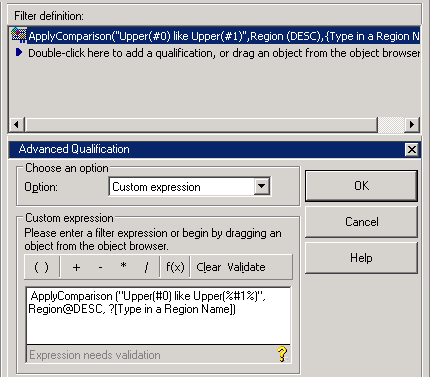
ApplyComparison ("Upper (#0) like Upper (%#1%)", Region@DESC, ?[Type in a Region Name])Error type: Odbc error. Odbc operation attempted: SQLExecDirect. [42000:-3100: on SQLHANDLE] [Microsoft][ODBC Microsoft Access Driver] Syntax error in query expression 'a11.[CALL_CTR_ID] = a12.[CALL_CTR_ID] and a12.[REGION_ID] = a13.[REGION_ID] and Upper (a13.[REGION_NAME]) like Upper (%'east'%)'. Connection String: DSN=Strategy_Tutorial_Data;DBQ=C:\Program Files\MicroStrategy\Tutorial Reporting\TUTORIAL_DATA_7200.MDB;DRIVERID=25;FIL=MS Access;MAXBUFFERSIZE=8192;PAGETIMEOUT=5;UID=admin;...
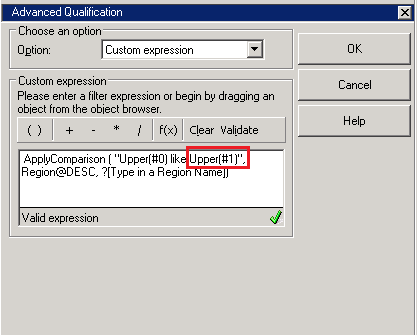
ApplyComparison ("Upper (#0) like Upper (#1)", Region@DESC, ?[Type in a Region Name])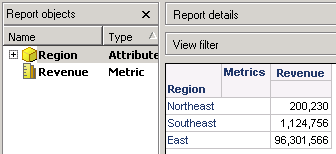
Upper (a13.[REGION_NAM]) like Upper ('%east%')