SUMMARY:
The document describes a current defect in Strategy 9.4.1 that can occur when a user attempts to run a report or dashboard based on a cube. The User will receive the error described when trying to execute a report or document in either Strategy Web or Developer. This defect has been addressed in 9.4.1 Hotfix 4.
SYMPTOM:
This issue can be seen when executing a document or report from Strategy Web or Developer. End users will receive the above mentioned error on all nodes except one and will not be able to fully execute the report or document. This issue can be seen after either a cube publication or object manager migration.
STEPS TO REPRODUCE:
Step 1: Create a view report on a cube that exists in both environments.
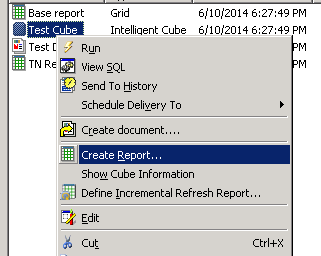
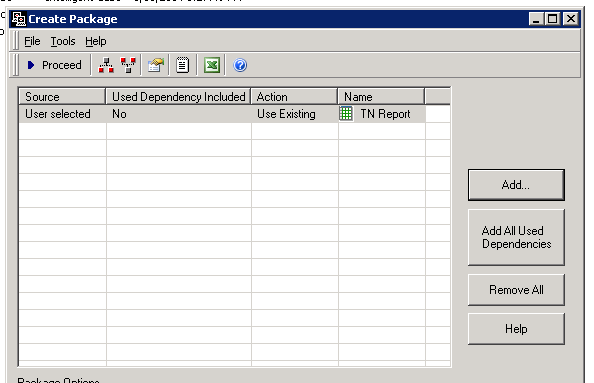
Step 2: Create an object manager package containing just a view report in Strategy Object Manager from a lower environment.
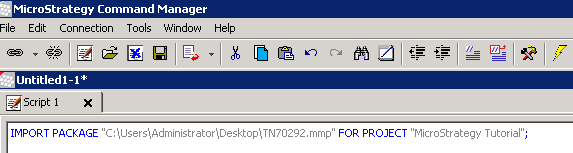
Step 3: Import the package into a multi-node cluster a non-primary node using Command Manager.
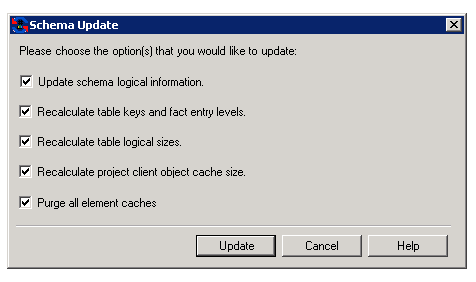
Step 4: Update schema on the node that the package was imported.
Step 5: Attempt to execute a report or document based on the cube on another node.
Step 6: End users will receive the error shown below:

Your request could not be processed. Please try again. If the problem persists, contact the Administrator. (Internal Error: DSSDocumentExecuteTask::Run(): Error calling DocumentInstance::Execute() , job 31627, Error Code=-2147212797)
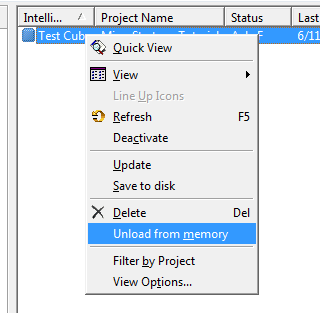
The second workaround is as follows:
Step 1: Determine the cube that the report or document is based on.
Step 2: Create a view report on above mentioned cube in affected nodes.
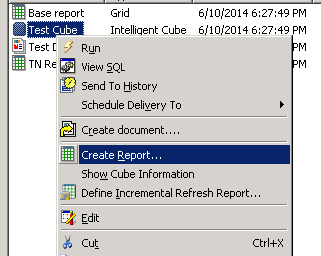
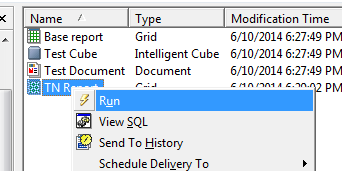
Step 3: Execute report on each node.
VIDEO:
Here is a video guide of the workarounds above:
To Learn More:
To learn more regarding Object Manager and Command Manager, please see the System Administration Guide in the product manuals.
For additional information regarding Object Manager and Command Manager, please review the technotes in the 'Related links' section below.
