SUMMARY:
This Article describes an issue when using Import Data in Strategy Web 9.4.1 where users may receive an error regarding Cross Site Scripting. This can been seen where SiteMinder R12 is used as an Single Sign-on provider and the Strategy Web JSP 9.4.1 is been utilized. This does not affect the ASP version of Strategy Web 9.4.1.
SYMPTOM:
When End Users are using Import Data in Strategy Web 9.4.1, they may receive the following error if using the .JSP version of Strategy Web and SiteMinder R12:
Due to the presence of characters known to be used in Cross Site Scripting attacks, access is forbidden. This web site does not allow Urls which might include embedded HTML tags.
Step 3:Select 'Import Data'
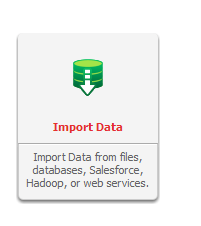
Users will be met with the error when trying to access 'Data Import'.

CAUSE:
This is caused by the inclusion of the character ';' in the URL used with the .JSP version of Strategy Web for Data Import. This character is flagged as a Cross Site Scripting attack by the SiteMinder agent and results in the above error.
ACTION:
To resolve this issue, System Administrators can remove the character ';' from the list of characters that are monitored by SiteMinder for Cross Site Scripting attacks or disable the Cross Site Scripting checks by switching the 'CSSChecking' parameters from 'yes' to 'no' by editing the 'LocalConfig.conf' file.
