EducationSoftwareStrategy.com
StrategyCommunity

Knowledge Base

Product

Community

Knowledge Base

TopicsBrowse ArticlesDeveloper Zone

Product

Download SoftwareProduct DocumentationSecurity Hub

Education

Tutorial VideosSolution GalleryEducation courses

Community

GuidelinesGrandmastersEvents
x_social-icon_white.svglinkedin_social-icon_white.svg
Strategy logoCommunity

© Strategy Inc. All Rights Reserved.

LegalTerms of UsePrivacy Policy
  1. Home
  2. Topics

KB47373: Intelligent cube is still referenced in document components after being replaced in MicroStrategy Developer 9.4.1


Stefan Zepeda

Salesforce Solutions Architect • Strategy


This issue has been classified as a defect by MicroStrategy. The impact is limited to MicroStrategy Developer 9.4.1 product only with documents using view filter qualifications. A couple of workarounds are available in the current document. A solution/code fix for this issue is not available in current releases but is being reviewed for a future MicroStrategy release.

SUMMARY:
This issue has been classified as a defect by Strategy. The impact is limited to Strategy Developer 9.4.1 product only with documents using view filter qualifications. A couple of workarounds are available in the current document. A solution/code fix for this issue is not available in current releases but is being reviewed for a future Strategy release.
 
SYMPTOM:
In the Strategy Developer 9.4.1, an old intelligent cube is still referenced in a document's components.  The cube is not shown in the document dataset list anymore when editing the document.
 
STEPS TO REPRODUCE:
Follow these instructions to reproduce the issue in the Strategy Tutorial Project:
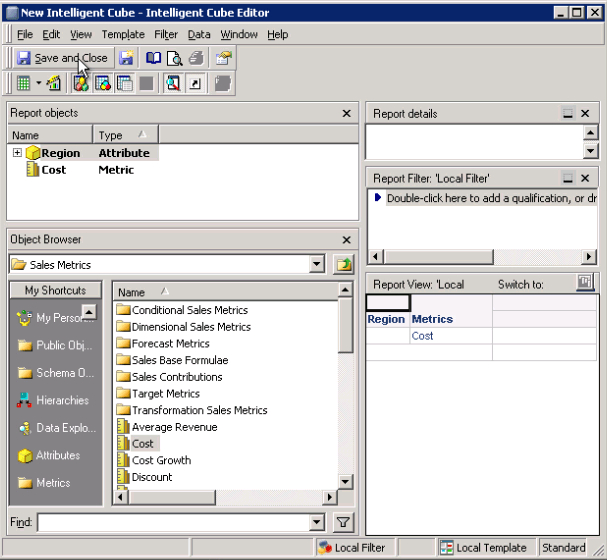
  • Create a cube with Region and Cost. Name it Cube 1.
ka02R000000kZgpQAE_0EM440000002CJ9.png
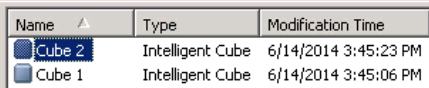
  • Make a copy of the Cube and name it Cube 2.
ka02R000000kZgpQAE_0EM440000002CJB.png
  • Create a document with Cube 1 as a dataset.
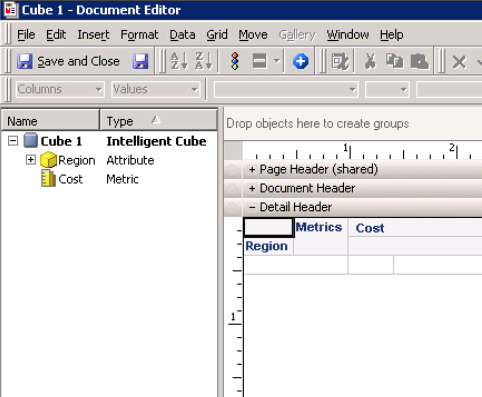
  • Insert a grid object with Region in the row and Cost in the column.
ka02R000000kZgpQAE_0EM440000002CJA.png
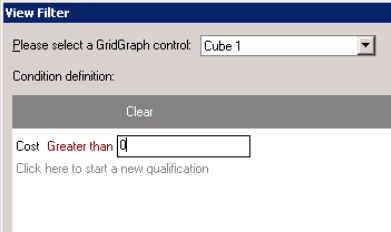
  • Add a view filter to the grid object for metric Cost is equal to or greater than 0.
ka02R000000kZgpQAE_0EM440000002CJ6.png
  • Save the document.
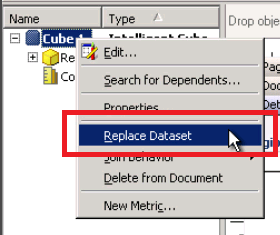
  • Replace the dataset of Cube 1 with Cube 2.
ka02R000000kZgpQAE_0EM440000002CIy.png
  • Insert the Region and Cost from Cube 2 in the existing grid.
  • Save the document.
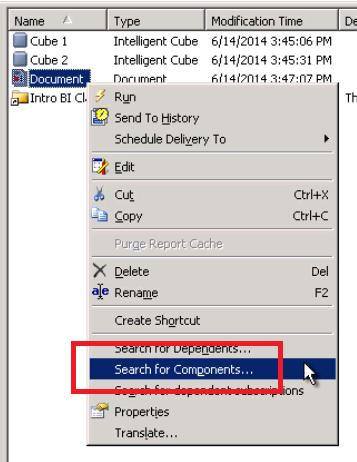
  • Check the components of the document. Notice that it is still referencing Cube 1 even though it is not included in the dataset.|
ka02R000000kZgpQAE_0EM440000002CJ8.png

VIDEO:
You can find a detailed video on how this issue is reproduced here: 


CAUSE:
This is a known issue in Strategy Developer 9.4.1 where view filters in a document containing metrics or attributes from old cubes will still reference those cubes. As long as the view filters are created off of an old cube, the reference will remain in the backend, even after the old cube is removed from the document object list.
 
ACTION:
Contact Strategy Technical Support for an update on the status of the issue. Currently this issue is still being reviewed for feasibility by our Technology team and it is not scoped for any upcoming scheduled Strategy release.
 
WORKAROUND:
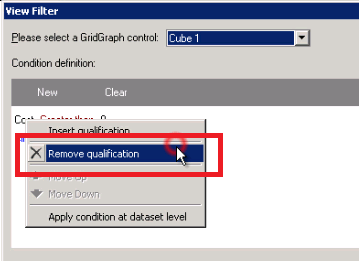
  • Go through the document objects and delete any qualifications in the view filters that might have been created with the previous dataset.
ka02R000000kZgpQAE_0EM440000002CJ0.png
  • Delete all of the datasets and add them in again without replacing them.
  • When bringing in a new dataset, create new grid or graph objects, instead of using the existing ones that were used by previous datasets.
  • Clear out any existing view filters before adding in attributes/metrics from the new datasets.

 
ADDITIONAL TROUBLESHOOTING:
If the steps above do not resolve the issue, please consider calling Strategy tech support with the following information of troubleshooting already done:

  • Results of testing with a user with the appropriate permissions to access Strategy Web, or with the Administrator user account if possible.
  • Results or output of following the above Action steps.

 
TO LEARN MORE:
 Review the technotes below in the 'Related Links' section for more related information on this topic.


The Strategy Internal Reference Number for the issue discussed in this technical note is 842232


Comment

0 comments

Details

Knowledge Article

Published:

June 8, 2017

Last Updated:

June 8, 2017