This purpose of this tech note is to provide additional details regarding how the Check and update configurationsetting works. This setting can be found on the Mobile Administration page within a Mobile Configuration as seen in the screenshot below:
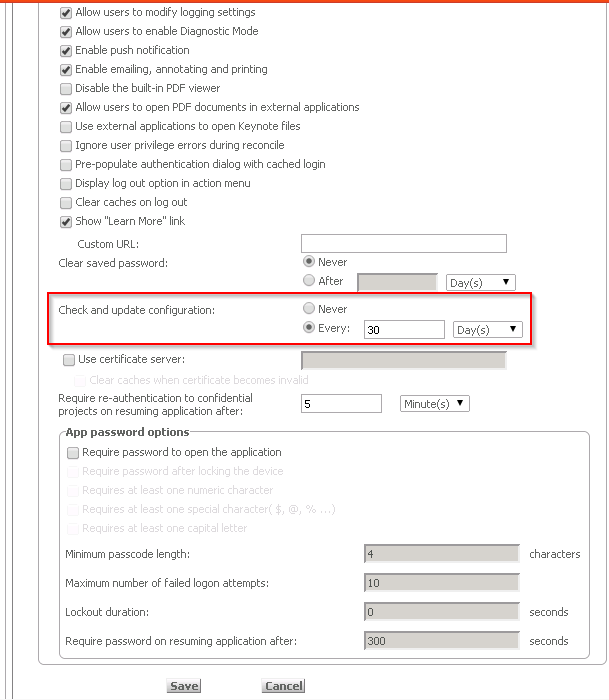
In the screenshot above, the setting indicates that every 30 days, Strategy will whether or not any changes have been made to the mobile configuration. Strategy does this by referencing a parameter stored in the mobile configuration XML file called CNTR which is incremented by 1 every time the config is saved through the mobile admin page.
Whenever the Check and update Configurationoption is enabled, Strategy will compare the CNTR value in the configuration on the mobile device to that on the mobile server, and if they don't match, the updated config XML will be pulled down from the mobile server to the device. There is no overall check of each setting change made to the configuration, it is all done through this CNTR which can be found in the mobile configuration XML file. The time period set on the mobile configuration page governs how often Strategy will compare the CNTR values on the devices to the CNTR value on the mobile server - the configuration will only be updated if the counter values do not match.
