EducationSoftwareStrategy.com
StrategyCommunity

Knowledge Base

Product

Community

Knowledge Base

TopicsBrowse ArticlesDeveloper Zone

Product

Download SoftwareProduct DocumentationSecurity Hub

Education

Tutorial VideosSolution GalleryEducation courses

Community

GuidelinesGrandmastersEvents
x_social-icon_white.svglinkedin_social-icon_white.svg
Strategy logoCommunity

© Strategy Inc. All Rights Reserved.

LegalTerms of UsePrivacy Policy
  1. Home
  2. Topics

KB47482: "You do not have Write access to the Folder object 'Warehouse Catalog'. You do not have %1 access to the %2 object %3'." error is shown when trying to import data from a database in MicroStrategy Web 9.x


Community Admin

• Strategy


SYMPTOM:
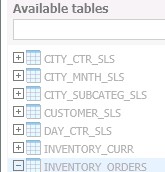
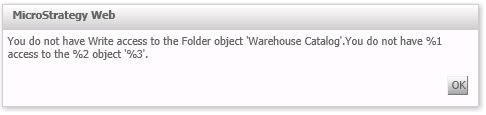
When a user tries to import data from a database in Strategy Web the following error is seen after attempting to drag a table from the "Available tables" pane into the main editor.
Version 9.4.1
ka04W000000OdUHQA0_0EM44000000266o.png
ka04W000000OdUHQA0_0EM44000000266S.png


You do not have Write access to the Folder object 'Warehouse Catalog'. You do not have %1 access to the %2 object %3'
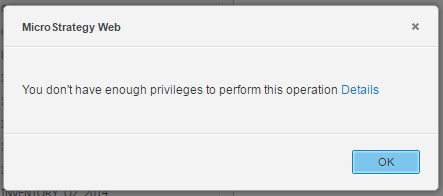
Version 10.x

ka04W000000OdUHQA0_0EM440000002I2k.png


You don't have enough privileges to perform this operation.
CAUSE:
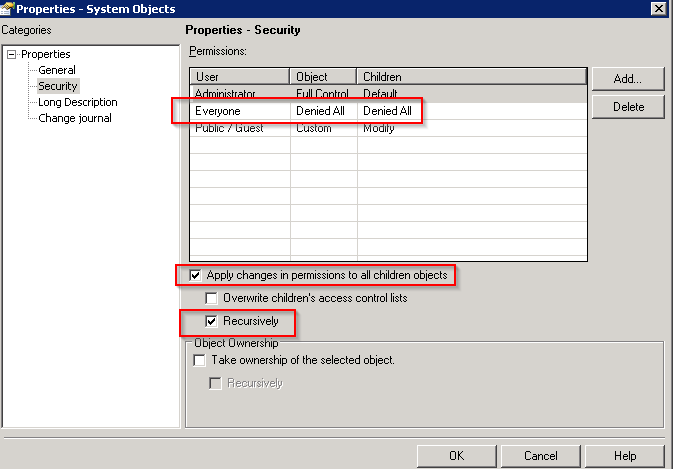
One possible cause for this error message is that the Everyone group access control for the System Objects folder is set to "Denied All" and that this change is applied recursively to all children objects:

ka04W000000OdUHQA0_0EM44000000266T.png

ACTION:
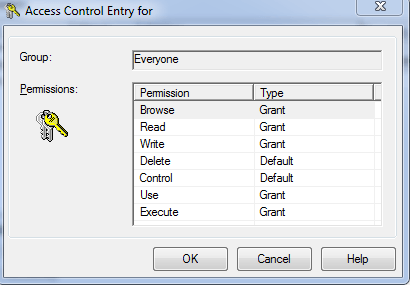
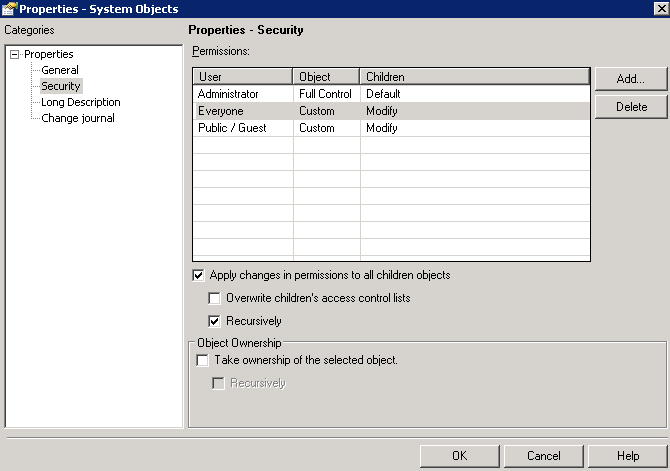
Reset the security settings to match the out of the box configuration. Set the permissions to correspond to the following:
 

ka04W000000OdUHQA0_0EM44000000266Z.png

 
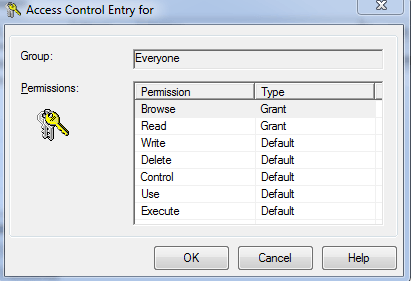
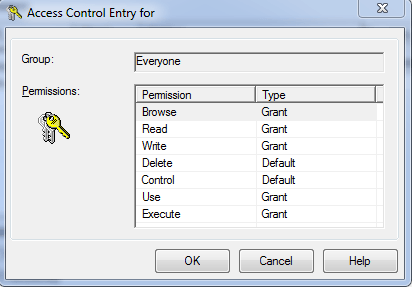
The "custom" access seen above for the Everyone group should be configured to be the same as below:
ka04W000000OdUHQA0_0EM44000000266U.png

 
The "Subtotals" folder within the System objects folder and the "XDA Objects" folder within the System objects folder will also need to be manually modified.  The security for the "Subototals" folder should be configured as seen below: 
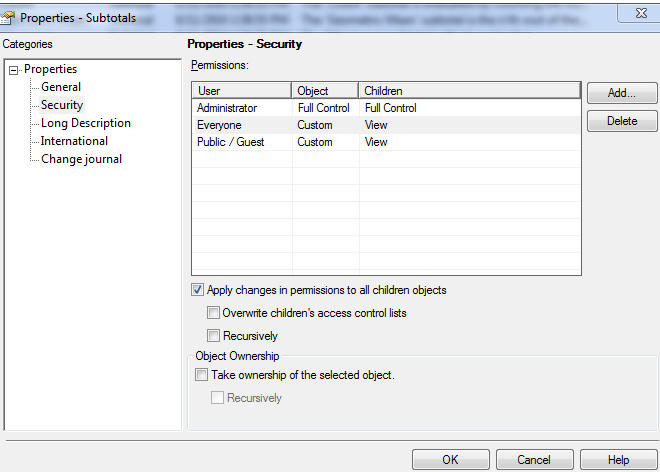
ka04W000000OdUHQA0_0EM44000000266R.png


ka04W000000OdUHQA0_0EM44000000266m.png

 
Similarly, the security for the "XDA Objects" folder should be configured like shown below. 
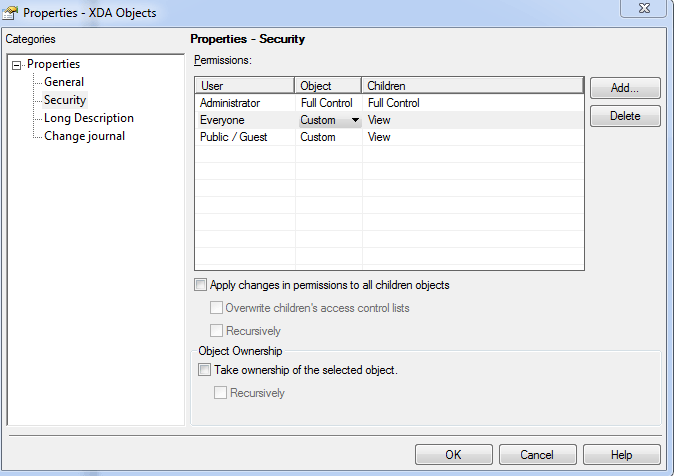
 

ka04W000000OdUHQA0_0EM44000000266a.png


ka04W000000OdUHQA0_0EM44000000266b.png

 
In general, users should note that changing the out of the box security settings for the System objects folder should never be attempted unless specifically instructed by Strategy Technical Support.


Comment

0 comments

Details

Knowledge Article

Published:

April 5, 2017

Last Updated:

April 5, 2017